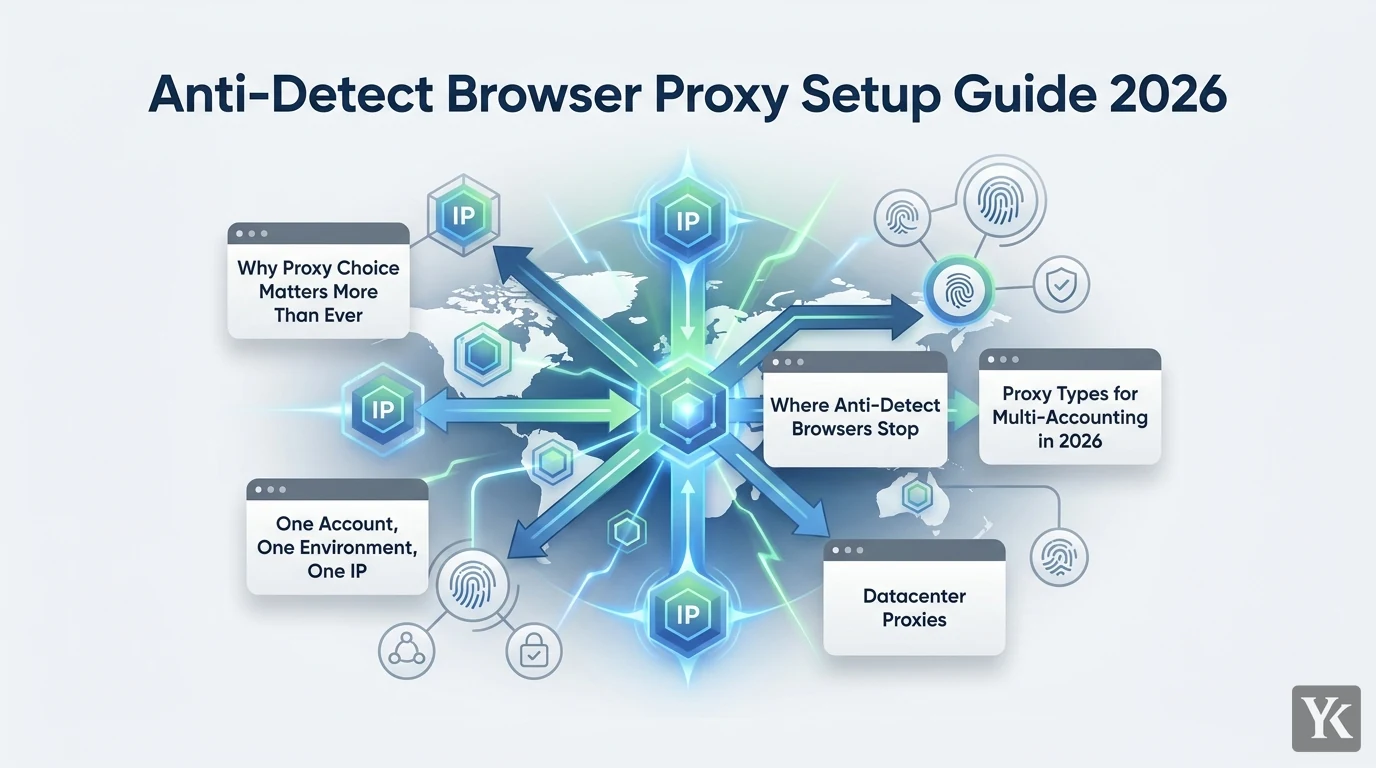
Most people running multi-account operations get their anti-detect browser proxy setup half right. They nail the fingerprint and completely blow the proxy stack. They'll spend hours perfecting fingerprint configurations, then route three accounts through the same residential IP and wonder why they're getting flagged. The browser is half the equation. The proxy is the other half. And in 2026, platforms have gotten aggressive enough that the wrong proxy type will kill accounts that a perfect fingerprint would otherwise protect.
Why Proxy Choice Matters More Than Ever
Platform risk engines have moved well past simple IP blacklists. Meta, TikTok, Google, Amazon, and most major marketplaces now score IPs on ASN reputation, carrier history, geo consistency, and behavioral patterns tied to that IP over time. An IP that's been used to register fifty accounts in a week carries that history. A datacenter ASN that no real consumer would ever connect from raises an immediate flag, regardless of how clean your browser fingerprint looks.
Anti-detect browsers solve the device and browser fingerprint problem. They cannot fix a burned IP, a suspicious ASN, or a geo mismatch between your account's creation location and its current login. Those are proxy problems. Getting the proxy strategy right is what separates operations that scale to hundreds of accounts from ones that churn through bans every two weeks.
The 2026 consensus on which proxy types work for which use cases is clearer than it's ever been. The decision tree is pretty simple once you understand what each proxy type does to your network identity.
How Anti-Detect Browsers and Proxies Work Together
Think of each account as needing three layers of isolation: a network identity (IP, ASN, geo), a device/browser identity (fingerprint, user agent, canvas, WebGL, fonts), and a behavioral identity (login patterns, session timing, activity sequences). Anti-detect browsers handle the middle layer. Proxies handle the first.
DataImpulse's multi-account proxy guide calls "one account = one dedicated, sticky IP" the cardinal rule for multi-account management, and warns explicitly against sharing an IP between two accounts or changing an account's IP mid-session. That's not conservative advice. That's the baseline. Anything below that baseline is just hoping platforms don't notice.
One Account, One Environment, One IP
The "one account = one environment = one IP" rule shows up in virtually every serious 2026 guide, including IPFoxy's multi-account setup walkthrough. The environment means the full package: browser profile, cookies, stored fingerprint, login history, and the IP that's been consistently associated with all of it.
When you share an IP across accounts, platforms can trivially link them. When you rotate IPs mid-session on a live account, the sudden geo or ASN shift looks like account compromise. Risk engines are pattern-matching machines. Consistency is your cover.
Where Anti-Detect Browsers Stop
Anti-detect browsers isolate fingerprints beautifully. They cannot change what your IP says about you. If your IP resolves to a datacenter ASN in a city that doesn't match your account's registration location, no amount of fingerprint spoofing fixes that signal mismatch. The proxy has to carry the network identity, and the browser profile has to carry the device identity. Neither can substitute for the other.
The practical workflow: purchase your proxies, retrieve the host, port, username, and password from your provider dashboard, create a new browser profile in your anti-detect browser, paste those proxy credentials into the profile's network settings, test the connection, then initialize the fingerprint before the first login. Never log into an account before confirming the proxy is active and the IP resolves to the right location.
Proxy Types for Multi-Accounting in 2026
The four proxy types you'll encounter each occupy a different position on the trust-versus-cost spectrum. Below is how they actually perform for login-based multi-account work.
| Proxy Type | Trust Level | Cost | Best For | Avoid For |
|---|---|---|---|---|
| Datacenter | Low | Cheapest | Scraping, bulk registration | Long-term accounts, social |
| Residential (rotating) | Medium-High | Moderate | Medium-risk logins, testing | High-value accounts |
| Residential (sticky/ISP) | High | Moderate-High | Marketplace sellers, business accounts | High-volume scraping |
| Mobile | Highest | Most expensive | Social media, strict platforms | Budget-constrained scraping |
Datacenter Proxies
Cheap, fast, and increasingly useless for anything involving a login. Datacenter proxies come from cloud hosting ASNs that no real consumer uses to browse Instagram or manage an Amazon seller account. Platforms know this. The flagging is automated and aggressive.
They still have a place: bulk account registration where you're testing at scale and expect losses, public scraping with no authentication, and any task where account survival beyond a few days isn't the goal. For long-term account work in 2026, avoid them. The replacement cost of a banned portfolio built on datacenter proxies far exceeds whatever you saved on the proxy bill.
Residential Proxies
Residential proxies are now the baseline for serious multi-account setups. IPs come from real consumer connections, carry real ISP ASNs, and have the geo accuracy and trust history that platforms expect from normal users. NodeMaven's multi-accounting guide is one of many 2026 resources that recommend residential proxies as the default for browser-based operations.
The rotating vs. sticky distinction matters a lot here. Rotating residential proxies assign a new IP on each request or each session, which is great for scraping but actively harmful for logged-in accounts. Sticky residential proxies maintain the same IP for an extended session, sometimes hours or days. For multi-accounting, you want sticky. The account needs to see the same IP consistently across logins.
Mobile Proxies
Mobile proxies use IPs from carrier networks, which means carrier-grade NAT and mobile ASN patterns. Multiple real users share the same mobile IP in normal operation, so platforms can't simply flag a mobile IP for being "shared." It's expected behavior on carrier networks. That's the structural advantage.
Account survival on mobile proxies is the highest of any proxy type for strict platforms and high-value accounts. Mobile IPs from clean carrier pools are consistently among the most trusted for high-risk setups. Mobile proxies cost more than residential, sometimes markedly more, but for TikTok, Instagram, or any mobile-first platform where bans are expensive, the math usually works out.
ISP and Static Residential Proxies
ISP proxies (also called static residential proxies) blend the speed and reliability of datacenter infrastructure with the trust of a residential ASN. You get a fixed IP that doesn't rotate, assigned to a real ISP, that you can hold for weeks or months.
For marketplace seller accounts (eBay, Amazon, Facebook Marketplace), long-lived ad accounts, or any account where consistent IP history matters more than geo diversity, static ISP proxies are often the right call. The ProxyHorizon multi-account guide pushes static ISP IPs specifically for business accounts that need to look like they've been operated from the same location for a long time. Where normal rotating residential proxies give you flexibility, ISP static gives you permanence.
The Decision Framework
Conbersa's 2026 proxy comparison frames proxy planning around three questions. It's a clean framework and worth using directly.
Platform, Scale, Failure Cost
What platforms are you running on? Mobile-first platforms (TikTok, Instagram) favor mobile proxies. Browser-based platforms (Facebook, Google, marketplaces) work well with sticky residential or ISP static. Scraping-only targets can use datacenter.
What's your scale? Below roughly 30 accounts per platform, you can afford higher per-IP costs and should prioritize quality. Above that threshold, you're balancing cost against survival rate, which usually means residential with careful sticky session management, reserving mobile for your highest-value accounts.
What's the failure cost? A banned TikTok account with an aged audience and monetization is a different loss than a throwaway test account. High failure cost maps directly to mobile or ISP static. Low failure cost opens the door to cheaper options.
Rules of Thumb for 2026
- High-value or strict platforms: Mobile proxies, one per account, long sticky sessions
- Medium-risk, login-heavy work: Sticky residential or ISP static, matched to account creation geo
- Disposable accounts or scraping: Datacenter or bundled tool proxies, expect losses
Choosing proxies based on price alone is the most common mistake serious operators make. The replacement cost of a banned account portfolio, including the time to rebuild aged accounts, almost always exceeds the difference between cheap datacenter proxies and quality residential or mobile options.
Geo, ASN, and History Matching
Your IP's geo and ASN need to match the account's history. A US-based marketplace seller account that was created in Chicago and has always logged in from a Chicago residential IP should stay on a Chicago residential or ISP static IP. Moving it to a Singapore mobile IP mid-lifecycle looks like account compromise to any risk engine.
The same logic applies to ASN. If an account has a history of logging in from Comcast residential IPs and you switch to a T-Mobile mobile IP, that's a meaningful signal change. For new accounts, match the IP geo to the account's intended market from day one and never switch. For existing accounts, don't migrate between proxy types or countries unless you're willing to accept elevated ban risk during the transition period.
Configuring Proxies in Your Anti-Detect Browser
This is tool-agnostic. The steps apply whether you're using Multilogin, GoLogin, AdsPower, Dolphin Anty, or any comparable browser. GoLogin vs Octo vs Multilogin comparison covers the tool differences in detail. The proxy configuration logic is the same across all of them.
Step 1: Build Your Account-Proxy-Profile Matrix
Before touching any browser, build a spreadsheet. One row per account. Columns: account name, platform, proxy type, host, port, username, password, city/geo, session ID, browser profile name. This prevents accidental reuse and gives you a recovery path when something breaks.
Session IDs matter for sticky residential proxies. Many providers let you embed a session identifier directly in the username string, for example user-account01-sessid versus user-account02-sessid, so each profile gets its own stable IP from the pool. DataImpulse demonstrates exactly this pattern in their setup documentation, and it scales cleanly to hundreds of accounts.
Step 2: Generate Sticky Sessions
For residential proxies, sticky sessions are created through your provider's session token system. The session length you need depends on your use case. Long logins (marketplace seller accounts you keep open for hours) need session lengths measured in hours. Short bursts (posting automation that logs in, acts, and logs out) can work with shorter sessions but should still maintain the same IP across each session for that account.
ISP static proxies skip this entirely. You have a fixed IP. Assign it to one account and leave it there.
Step 3: Bind Proxy to Profile
Create a new profile in your anti-detect browser. Paste the proxy host, port, username, and password into the network/proxy configuration field. Run the built-in connection test. Confirm the IP resolves to the correct city and ISP. Then, and only then, initialize the browser fingerprint. The fingerprint should be generated while the proxy is active so the timezone, language, and locale settings match the IP's geo.
Never open a profile without confirming the proxy is live first. Most anti-detect browsers will happily load with a failed proxy and just use your real IP, which is worse than no proxy at all.
Step 4: Session Hygiene
- Never open two accounts in the same browser profile
- Never switch the proxy assigned to a live account
- Log out cleanly rather than just closing the browser
- Keep fingerprints persistent across sessions for the same account
- Don't change the account's IP country, ever, once it's established
The VMOSCloud guide on social media proxies specifically flags frequent IP changes mid-session as one of the most common triggers for verification prompts on TikTok and Instagram. Stability is the goal.
Common Mistakes
These are the patterns that burn account portfolios. Most are obvious in hindsight.
Reusing IPs across accounts. One proxy per account, always. IP reuse creates a direct linkage between accounts that platform risk engines will find.
Switching geo or proxy type mid-lifecycle. Moving a live account from residential to mobile, or from US to UK, looks like credential theft. Risk engines treat sudden ASN or geo changes as compromise signals.
Over-rotating IPs. Rotating residential proxies are built for scraping, not for logged-in sessions. If your proxy is assigning a new IP every few minutes on an account that's supposed to be logged in, you're generating exactly the kind of anomalous signal that triggers manual review.
Buying on price alone. A burned account portfolio on cheap datacenter proxies costs more in replacement time and lost account age than the premium for quality residential or mobile IPs. The math is unfavorable every time.
Practical Scenarios
Scenario 1: 20-50 Social Accounts
TikTok and Instagram are the strictest consumer social platforms for multi-accounting. Mobile proxies are the right call for high-value accounts. For a 20-50 account operation where some accounts have real audiences, put your top-tier accounts on mobile proxies with long sticky sessions, one IP per account, and match the IP geo to the account's target market. Lower-value accounts in the same operation can use high-quality sticky residential from a clean pool. Slow ramp-up on new accounts matters too. Don't automate aggressively on day one.
If you're comparing anti-detect browser options for this kind of social media operation, best anti-detect browsers for multi-accounting breaks down which tools handle large profile counts most reliably.
Scenario 2: 5-15 Marketplace Seller Accounts
Marketplace platforms (eBay, Amazon, Facebook Marketplace) care deeply about account history and consistency. Static residential or ISP proxies are the right fit here. One fixed IP per seller account, matched to the seller's registered location, never changed. Conservative automation. Separate payment methods and emails per account. The goal is an account that looks like it's been operated by the same person from the same location for years, because that's what legitimate sellers look like.
Scenario 3: Bulk Registration and Large-Scale Testing
This is the one place datacenter proxies still make sense. Use them for initial registration and testing at scale where you expect losses. Once accounts survive the initial warm-up period and prove worth keeping, migrate them to dedicated residential or mobile environments with proper sticky sessions. Don't try to run long-term accounts on datacenter proxies just because that's where they started.
Future-Proofing Beyond 2026
The direction is clear: deeper ASN analysis, device graphing that links accounts across sessions, carrier-level IP reputation scoring, and behavioral fingerprinting that goes beyond what the browser reports. The platforms building these systems have more data than any individual operator, and they're getting better at using it.
The response isn't to find cleverer tricks. It's to build more complete per-account identity separation. One account, one IP, one browser profile, one behavioral pattern. That principle holds regardless of what detection technology platforms deploy next. Operators who treat proxy selection as a cost-cutting exercise will keep churning through bans. The ones who treat it as infrastructure will scale.
This anti-detect browser proxy setup guide for multi-accounting in 2026 is really just an argument for that second approach: match proxy type to account value and platform strictness, maintain strict isolation, and don't rotate what should stay stable.
Frequently Asked Questions
Can I use free proxies for multi-accounting?
No. Free proxies are shared across an unknown number of users, have burned IP histories, and offer zero session control. They'll get accounts flagged faster than no proxy at all. For any account you care about keeping, use paid residential, mobile, or ISP static proxies from a reputable provider.
How many accounts can share one residential IP?
One. The cardinal rule for multi-accounting is one account per dedicated IP. Sharing an IP across accounts creates a direct linkage that platform risk engines will detect and act on, often banning the entire cluster at once.
What's the difference between sticky and rotating residential proxies?
Rotating proxies assign a new IP on each request or session, which is useful for scraping but harmful for logged-in accounts. Sticky proxies maintain the same IP for a defined session length, sometimes hours or days. For multi-accounting, you always want sticky sessions. The account needs IP consistency across logins.
Should I match my proxy location to my account's registration country?
Yes, always. An account created in the US that suddenly starts logging in from a German IP looks like a compromised account to risk engines. Match your proxy geo to the account's creation location and never change it mid-lifecycle. For new accounts, decide on the target geo before the first login and stick with it.
Are mobile proxies worth the higher cost for social media accounts?
For high-value accounts on strict platforms like TikTok and Instagram, yes. Mobile proxies use carrier-grade NAT, which means multiple real users legitimately share the same IP on mobile networks. Platforms can't flag shared mobile IPs the same way they flag shared residential or datacenter IPs. The survival rate difference on strict social platforms justifies the cost premium for accounts that matter.
Yosef Kassabry
Digital Marketing Technologist
Yosef Kassabry writes about marketing automation, AI-powered tools, and lead generation strategies for solopreneurs and small businesses. With hands-on experience building email campaigns and testing automation workflows, he turns complex marketing concepts into actionable, results-driven guides.