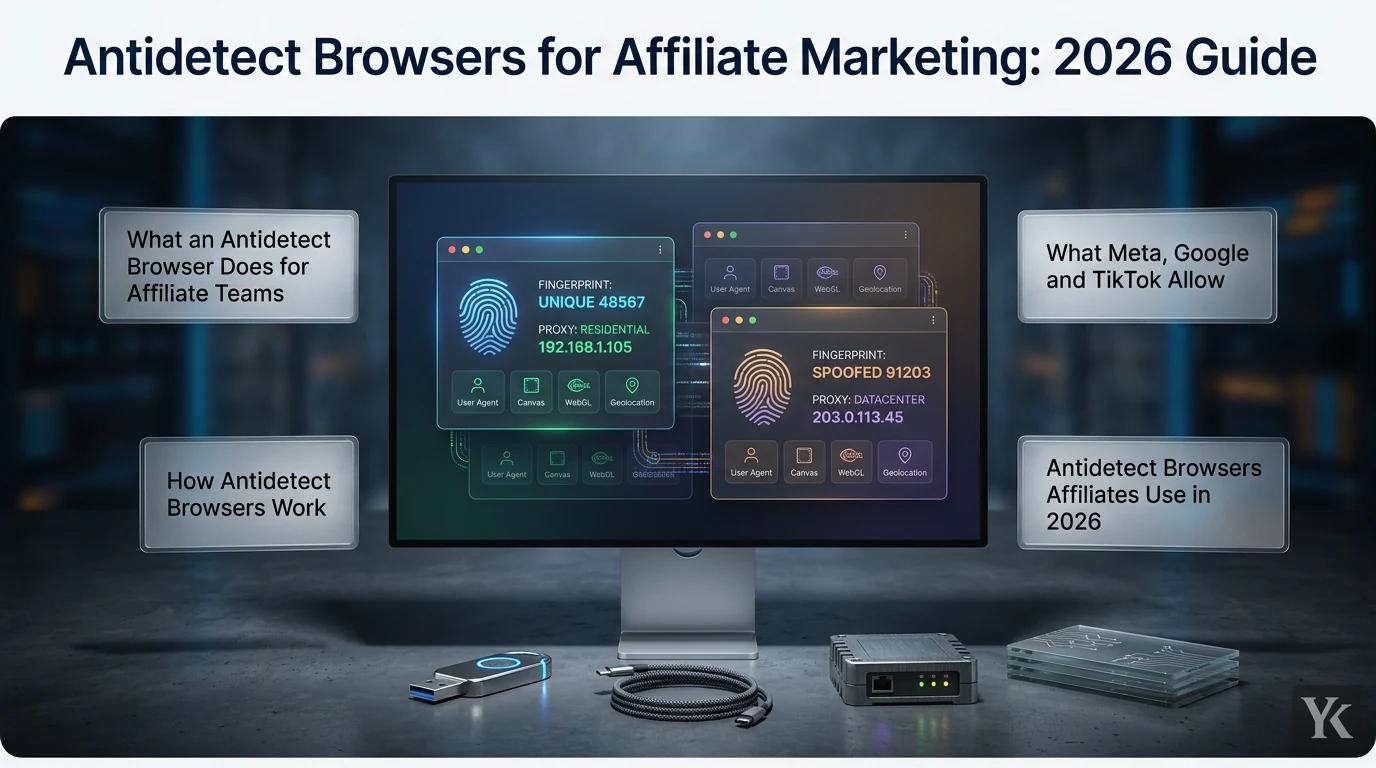
Anti-detect browsers for affiliate marketing are specialized tools that create isolated browsing environments with unique digital fingerprints (user agent, screen resolution, OS, WebGL data), so each client, advertiser or GEO test profile keeps its own cookies, logins and proxy. Most also bundle proxy management, profile sharing with permissions, and an API.
For most affiliate teams the shortlist is Multilogin, GoLogin, AdsPower, Dolphin{anty} and DICloak. Free plans cover 2 to 5 profiles, and the cheapest paid plans cost $8 to $11 a month on monthly billing, 35 to 50% less billed annually. None of them changes what Meta, Google or TikTok allow, so this guide sticks to setups the platforms permit.
Managing client or store accounts for a team rather than running campaigns? See anti-detect browsers for multi-accounting teams.
I've bought media for 11+ years, including Arabic-language campaigns across MENA and the Gulf, and I judge every tool in the stack the same way: does it make the team faster without putting an account at risk? Below: what these browsers do for an affiliate team, what Meta, Google and TikTok allow, five tools side by side, seven free plans compared, and how to set up a browser for multiple offers and GEOs.
What an Antidetect Browser Does for Affiliate Teams
Look, affiliate work is rarely one account: client ad accounts, advertisers' dashboards, a tracker, landing pages. Run all of those logins in one Chrome window and the sessions collide: the wrong client is logged in, a teammate needs your password, and nobody can see what a lander looks like from Riyadh.
An antidetect browser handles the organizing:
- Separate sessions. Each profile keeps its own cookies, saved logins and proxy, so one client's session never loads in another client's window.
- Access without passwords. Profiles can be shared with a teammate, with permissions, and taken back when the work ends.
- GEO checks. A profile with a Saudi proxy shows the lander, redirect and offer that a visitor in Saudi Arabia sees.
- Privacy. Tracker, network and billing dashboards stay out of your everyday browser.
Chrome's own profiles separate cookies too, but they share one machine's fingerprint and IP and have no permission system. That's usually where teams outgrow them.
What the browser doesn't do is change a platform's rules. If a platform allows one personal account per person, a second profile doesn't create an exception.
What Meta, Google and TikTok Allow
Here is the thing most antidetect browser reviews skip: the big ad platforms publish their rules on multiple accounts, and they're clear.
Meta. Its Terms of Service require each person to "create only one account (your own) and use it for personal purposes" and bar giving anyone else access to that account without Meta's permission. If Meta disables your account for a violation, "you agree not to create another account without our permission." The Terms also prohibit anything meant "to circumvent, bypass, or override any technological measures that Meta uses to control or limit access" to its products. For advertisers, Meta's list of common policy violations says any attempt "to evade our review process or other enforcement actions is not allowed", including creating new ad accounts "with the intent to repeat violations" after existing ones were disabled. Its Account Integrity standard adds that Meta may restrict ad accounts owned by the same person or entity as a disabled account.
The agency route is built in. Meta's Advertising Standards say that when you manage ads for others, "each advertiser or client must be managed through separate ad accounts", and a client's business portfolio can give a partner access to its Pages and ad accounts, with full control or partial access.
Google Ads. The circumventing systems policy prohibits "creating new accounts to re-enter the system" after a suspension. Its section on multiple account abuse adds: "Everyone needs to follow the same Google Ads policies. Attempting to use multiple accounts to get around those policies isn't allowed." Google treats these violations as egregious: accounts are suspended "upon detection and without prior warning." Its advice for advertisers with several accounts is to make sure each one is "connected to a real business", and agencies use a manager account: one sign-in for all client accounts, with different access levels per user.
TikTok. The Advertiser Account Policy is blunt: "We do not allow advertisers to circumvent, evade, or interfere with our advertising systems and processes." Enforcement can include suspension "from all Bytedance platforms." Agencies manage client ad accounts in Business Center, where an admin can create ad accounts or request access to a client's.
If an account is restricted, the route back is the platform's appeal process. A separate browser profile does not make it acceptable to replace a restricted account.
How Antidetect Browsers Work
Each profile is its own browser environment: separate cookies, local storage, cache and saved logins, plus a stored fingerprint (user agent, screen resolution, OS, timezone, language, fonts, WebGL and canvas output, hardware values). The profile loads the same fingerprint every session, so an account sees one consistent browser no matter which teammate opens it.
Each profile can also carry its own proxy. GoLogin, for example, fills a profile's timezone and geolocation from the proxy's IP by default, so a GEO test profile reports the right location without manual setup. Proxy types, sticky sessions and binding one proxy to one profile are covered in the anti-detect browser proxy setup guide.
Under the hood, these tools run their own browser builds. Multilogin's Mimic is Chrome-based and actively updated, while its Firefox-based Stealthfox is now a legacy core. AdsPower ships SunBrowser (Chrome-based) and FlowerBrowser (Firefox-based).
Antidetect Browsers Affiliates Use in 2026
This comparison looks at what an affiliate team actually pays for: roles and permissions, activity logs, proxy handling, API access and published pricing. Every figure comes from the vendor's own site, as of September 2026, with free plans and entry prices re-checked on October 1. All five publish their prices, and honestly, that alone puts them ahead of tools that hide numbers behind a demo call.
| Tool | Free plan | Entry paid plan | Team features |
|---|---|---|---|
| Multilogin | 5 profiles, cloud only | Pro 10: $11/month, or $7.08/month billed annually | Business (100+ profiles): unlimited seats, advanced roles |
| GoLogin | 3 profiles | Professional 10: $9/month, or $4.50/month billed annually | Profile sharing from Professional 25; REST API from Professional 100 |
| AdsPower | 2 profiles | Professional 10: $9 per 30 days, or $5.40/month billed annually | Member permissions, profile sharing, action logs |
| Dolphin{anty} | 5 profiles | Starter: $10/month for up to 20 profiles, 1 user | Base: $89/month for 100 profiles, with roles and activity logs |
| DICloak | 5 profiles, 15 launches a day | Base: $8/month, or $4.80/month billed annually (20 profiles, 2 members) | Share+: $138/month for 200 profiles, unlimited members |
Multilogin: Granular Team Control
Multilogin moved all plans to USD in May 2026 and added a free plan in July: 5 profiles, cloud storage only, no card and no time limit, though profiles are deleted after 7 days of inactivity. Pro plans cover 10, 20 or 50 profiles from $7.08 a month billed annually, with API access and one or two team seats. Business plans start at 100 profiles and add unlimited seats plus advanced roles and permissions. Every paid plan includes monthly proxy traffic, from 1 GB on Pro 10 to 5 GB and up on Business. Current rates are on Multilogin's pricing page.
The gap for teams: workspace activity logs are still marked "Soon" on that page. If you need an audit trail today, that matters.
GoLogin: Low-Cost Solo Plans
GoLogin's Professional plans come in four sizes: 10 profiles for $9 a month, 25 for $19, 50 for $29 and 100 for $39, and annual billing halves each price ($4.50 a month for 10 profiles). The cheapest tier is bare. On GoLogin's pricing page, Professional 10 has no residential proxy data and no profile sharing; Professional 25 adds 2 GB of residential proxy data and profile sharing, and the REST API and SDKs arrive only with Professional 100. Business plans, the first with team members, start at $99 a month for 300 profiles ($49.50 billed annually) and include the API, though GoLogin's help center still lists $119, so confirm at checkout. The free plan keeps 3 profiles, without sharing or API access.
AdsPower: Automation Built In
AdsPower's free plan covers 2 profiles. Paid plans are priced by profile count and billing period: Professional costs $9 per 30 days for 10 profiles, or $5.40 a month billed annually (AdsPower pricing). Plans add member permissions, profile sharing and a Local API (300 to 1,500 requests a minute depending on plan), plus a Synchronizer that mirrors actions across open profiles and an RPA builder for no-code workflows. Action logs record logins, IPs, profile opens and profile changes.
For affiliates, the RPA earns its keep on dull, legitimate work: pulling reports from several dashboards, screenshotting landers across GEOs, checking that links still resolve.
Dolphin{anty}: Solo Plans and Team Roles
Dolphin{anty}'s free plan now allows 5 profiles, down from 10. Starter costs $10 a month for up to 20 profiles (expandable to 60) for one user, with local and remote API access. Team plans start with Base at $89 a month for 100 profiles (extra users $10 a month each), then Team at $159 for 300 profiles and Enterprise at $299 for 1,000. Those are monthly prices; paying for 12 months takes 40% off (Dolphin{anty} pricing). Team plans add user roles, profile, folder and proxy sharing, per-member profile limits, and activity logs that show working time and when each browser was opened and closed.
DICloak: Team Sharing on a Budget
DICloak publishes its plans (DICloak pricing). The free plan gives 1 member, 5 profiles and 15 profile launches a day. Base costs $8 a month, or $4.80 billed annually, for 20 profiles and 2 members (extra members $3 each). Plus ($28.80 a month) adds RPA, window sync, profile transfer and an open API across 100 profiles, and Share+ ($138 a month) allows unlimited members on 200 profiles. Annual billing takes 40% off every paid plan.
Free Antidetect Browser Plans Compared
These seven antidetect browsers publish a free plan. A free plan is enough to learn a tool and to run a few GEO QA profiles, but not client work: members, daily launches and API access are where most of them stop. As of October 1, 2026, from each vendor's own pages:
| Tool | Free profiles | How long | Usage limit | Members | API |
|---|---|---|---|---|---|
| Multilogin | 5, cloud only | No end date, but all profiles are deleted if none is opened for 7 days | None stated | Owner only | No |
| GoLogin | 3 | No time limit | None stated | Owner only | No |
| AdsPower | 2 | "free forever" | Daily open limit, number not published | Owner only | No |
| Dolphin{anty} | 5 | Unlimited "at the moment" | 3 profiles running at once | Owner only | No |
| DICloak | 5 | No end date given | 15 profile opens a day | Owner only | No |
| MoreLogin | 2 | "Free Forever" | 20 profile starts a day | 2, owner included | Local API |
| Incogniton | 10 for 2 months, then 3 | 2 months for the 10 | None stated | Owner only | No |
For a solo affiliate, the free profile count is the number of GEOs you can keep a QA profile for: five on Multilogin, Dolphin{anty} or DICloak, though Dolphin{anty} runs only three at the same time. MoreLogin is the only one here that lets a second person in for free, and the only one with API access on the free plan. Incogniton front-loads 10 profiles for two months, then drops to 3, and its FAQ warns that running more than one free starter account gets all of your Incogniton accounts banned. Dolphin{anty} also allows one free account per computer.
Past the free tier, 10 profiles cost $9 a month at GoLogin (sharing starts at 25 profiles), $9 per 30 days at AdsPower and MoreLogin, $11 a month at Multilogin and $19.99 a month at Incogniton (Starter Plus), all on monthly billing.
Sources: Multilogin pricing and its free plan post, GoLogin pricing, AdsPower pricing and billing help, Dolphin{anty} pricing, plans and profile limits, DICloak pricing, MoreLogin pricing, subscription packages and overview FAQ, Incogniton pricing and FAQ.
Antidetect Browser Setup for Multiple Offers and GEOs
This is where an affiliate setup either stays clean or turns into a mess. A structure that works for a team running several offers across several GEOs:
- One profile per account you're authorized to use. Name it
client_platform_GEO(for exampleacme_meta_SAoracme_google_AE) and file it in a folder per client, so anyone on the team knows what's inside before opening it. One login per profile; for Meta, that login is the media buyer's own Facebook account, never a shared one. - The tracker in its own profile. Keep Voluum, Binom or whichever tracker you run out of the ad-account profiles, and pull data through its API where you can, so fewer places hold the session and fewer people need the password. Still choosing one? See free affiliate tracking software.
- One QA profile per GEO. Give it a proxy in that country and check landers, redirects and postbacks before any spend: does the lander load in the right language, does the offer match the GEO, does the tracker log the click and fire the postback? Arabic campaigns across the Gulf are a good example, since one offer can carry a different lander, currency or language variant in Saudi Arabia and the UAE. A leak-test page such as browserleaks.com confirms the profile shows the proxy's IP and timezone.
- Roles and activity logs. Give media buyers the profiles they run and nothing else, keep admin rights with one or two people, and check the activity log when something changes that nobody remembers changing.
- Offboarding. When someone leaves, remove them from the browser workspace and revoke their profile shares, then remove their access in Meta's business portfolio, the Google Ads manager account and TikTok Business Center, and change any shared passwords.
Matching a Tool to Your Affiliate Setup
Agency work on Meta, Google and TikTok. Start with the platform tools: partner access in a business portfolio, a Google Ads manager account, TikTok Business Center. Use the browser for what they don't cover, like client-owned trackers, network dashboards, landing page builders and GEO checks. Pay for roles and logs there: a Dolphin{anty} team plan or AdsPower with member permissions and action logs. Multilogin Business covers roles, but its activity logs aren't live yet.
Solo affiliates testing offers. A free tier is enough to start: Multilogin, Dolphin{anty} and DICloak each give 5 profiles. Past that, the cheapest paid plans as of October 2026 are GoLogin Professional 10 ($4.50 a month billed annually, $9 monthly), DICloak Base ($4.80 billed annually, $8 monthly) and AdsPower Professional 10 ($5.40 a month billed annually, $9 per 30 days).
Native networks (Taboola, MGID, Outbrain). I've funded native campaigns on Jubna, Taboola and MGID, and the daily work there is dashboards, reports and placement lists, not fingerprints. An API or AdsPower's RPA can take the repetitive reporting off your plate. New to the channel? Start with native ads for affiliate marketing.
Small teams sharing a few logins. DICloak Base (2 members, 20 profiles) covers it, or GoLogin Professional 25 ($19 a month, $9.50 billed annually), its first tier with profile sharing.
What to weigh: profile count, how many people need access, whether you need an audit trail today, API limits, and the price at the billing period you'll actually pay. For a closer look at two of these tools against Octo, see GoLogin vs Octo vs Multilogin.
Frequently Asked Questions
Do agencies need an anti-detect browser if they use Business Manager or a manager account?
Often not for the ad accounts themselves. A client's Meta business portfolio can give an agency partner access to its Pages and ad accounts, a Google Ads manager account gives one sign-in across client accounts, and TikTok Business Center lets an admin request access to a client's ad account. The browser earns its place for what those tools don't cover: client-owned trackers, affiliate network dashboards, landing page builders and GEO checks.
Which antidetect browser is best for Facebook ads in 2026?
None of them changes Meta's rules, so choose on team features, not on "survival" claims. For agency work, Multilogin Business (unlimited seats, advanced roles) and Dolphin{anty}'s team plans (roles, activity logs) cover access control; DICloak Base and GoLogin Professional 25 (GoLogin's first tier with profile sharing) cost less if you mainly need to share tracker and dashboard profiles. Client ad accounts themselves belong in a business portfolio with partner access.
Are anti-detect browsers legal for affiliate marketing?
The software is sold openly and has real uses: privacy, GEO testing, agency access, separate brand accounts. But legal isn't the same as allowed. Meta permits one personal account per person and no new account after a disable without its permission, Google treats new accounts after a suspension as circumventing its systems, and TikTok bans circumventing its advertising systems. Break those rules and the platforms can suspend or disable the accounts involved, whatever browser you use.
How much should I budget for an anti-detect browser in 2026?
As of October 2026, free tiers run from 2 profiles (AdsPower, MoreLogin) to 5 (Multilogin, Dolphin{anty}, DICloak), and Incogniton gives 10 for the first two months. The cheapest paid plans cost $4.50 a month (GoLogin Professional, billed annually) or $8 to $11 a month on monthly billing (DICloak $8, GoLogin and AdsPower $9, Dolphin{anty} $10, Multilogin $11). Team plans cost more: Dolphin{anty} Base is $89 a month for 100 profiles, and DICloak Share+ is $138 a month for unlimited members. Always compare at the same billing period, since annual plans run 35 to 50% below monthly at several vendors.
Can platforms tell that I'm using an anti-detect browser?
Assume they see more than the browser. Google's circumventing systems policy says Google may review information from multiple sources, including your ads, website, accounts and third-party sources, and Meta's Account Integrity standard lets it restrict business assets owned by the same person as a disabled account. A profile that keeps a client's login separate is ordinary account management. A profile set up to get around a restriction is exactly what these policies prohibit.
Is an antidetect browser the same as a privacy browser like Tor or Brave?
No, they work in opposite directions. Privacy browsers try to stop sites from recognizing you by your fingerprint: Tor Browser "aims to make all users look the same", Mullvad Browser uses the same approach without the Tor network, and Brave randomizes some fingerprint values per site and per session. An antidetect browser gives each profile one stable fingerprint, so a login sees the same browser every time while profiles stay apart. For less tracking on your own browsing, use a privacy browser; for several separate work environments, an antidetect browser.
Final Thoughts
An antidetect browser is an organizing tool for affiliate teams: one profile per authorized account, a QA profile per GEO, roles instead of shared passwords, and clean offboarding when someone leaves. Start on a free tier, pay for team features when a second person needs access, and check the billing period before comparing prices.
The real question isn't which browser is hardest to detect. It's whether what you're doing is allowed. If a platform's own tools (partner access, manager accounts, Business Center) cover a login, use them. Keep the browser for the rest, and never use it to replace a restricted account.
Digital Marketing Technologist
Yosef Kassabry is a media buyer with 11+ years in paid acquisition for Arabic-speaking audiences across MENA and the Gulf. He runs paid media through direct buys and affiliate networks, and writes about ad platforms, tracking, native ads and affiliate marketing for people who run campaigns.