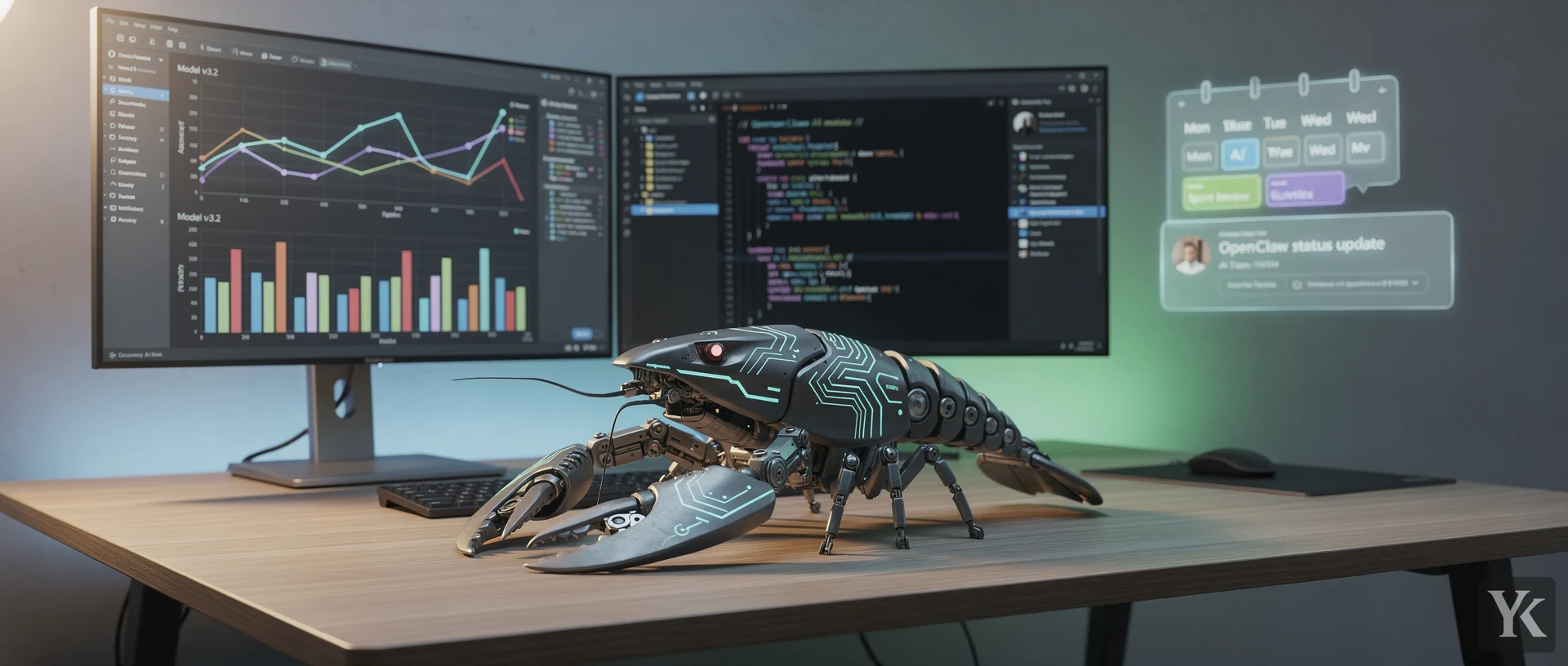
If you've spent any time on developer Twitter lately, you've probably seen the lobster meme. The GitHub stars climbing faster than any repository in history. The security researchers losing their minds. The trademark drama that somehow made everything worse (or better, depending on your perspective).
OpenClaw is a local-first, open-source AI assistant that runs entirely on your own hardware, automating daily tasks through integrations with email, calendars, messaging platforms, and productivity tools. It gained over 196,000 GitHub stars in under three months while simultaneously becoming a cautionary tale about security risks in AI agent ecosystems.
The project exploded from zero to nearly 200,000 stars faster than Kubernetes, React, or any major framework you can name. But that viral growth came with baggage: hundreds of malicious plugins, critical security vulnerabilities, and a debate about whether those star counts even represent real adoption.
Here's what actually happened.
The Rebrand Chaos That Launched Everything
OpenClaw didn't start as OpenClaw. Not even close.
The original name was Clawdbot, created by Peter Steinberger (founder of PSPDFKit), a pun combining Claude (Anthropic's AI model) with lobster claws. Cute. Problem: Anthropic's lawyers didn't find it cute. They sent a trademark challenge in early January 2026, forcing a hasty rebrand to Moltbot (referencing how lobsters molt their shells). OpenClaw AI Guide
Developers hated Moltbot. The feedback was brutal. "Unmemorable." "Sounds like malware." "What even is that?" The community roasted it for days.
So on January 30, 2026, the team rebranded again. This time to OpenClaw.
Here's the thing most people miss: the chaos worked. Each rebrand kept the project in headlines for another news cycle. The trademark drama created sympathy. The community backlash against Moltbot demonstrated engaged users willing to fight for the project. By the time OpenClaw became the final name, the repository had momentum that couldn't stop.
The "Open" prefix signals everything the project stands for: open-source code, self-hosted infrastructure, community-driven development. The "Claw" keeps the beloved lobster mascot that became the brand's visual identity. Accidental genius.
The rebrands had darker consequences too. Scammers grabbed the old Clawdbot GitHub handle and Twitter account within seconds of the rename. A fake $CLAWD Solana token hit a $16M market cap before crashing 90%. Typosquat domains and impersonation campaigns followed each name change.
Growth Metrics That Break Historical Patterns
The numbers still don't make sense.
OpenClaw hit 100,000 GitHub stars within weeks of the final rebrand. By mid-February 2026, the count reached 196,000+ stars. That's approximately 220,000 stars in 84 days total.
For context: Kubernetes took five years to hit that milestone.
Peak velocity reached over 10,000 stars per day in early February. Some individual days saw jumps exceeding 25,000 stars. One week alone generated 2+ million website visits.
The repository attracted 600+ contributors and surpassed 10,000 commits by mid-February. That's not just people clicking a star button. That's actual code contributions.
But here's where it gets messy. Independent analysts flagged portions of the growth as suspicious, pointing to bot accounts and hype-driven star inflation. The "GitHub Stars Controversy" became its own news cycle. No formal audit has confirmed systematic abuse, but the skepticism lingers.
I think both narratives are partially true. The project clearly has genuine technical merit and community interest. But the viral hype cycle definitely inflated numbers beyond organic adoption. The real question: does it matter if the underlying product actually works?
What Makes OpenClaw Different From Cloud AI Assistants
Most AI assistants send your data to remote servers. OpenClaw doesn't.
The architecture follows a "local-first Gateway" model where all data, credentials, and agent state remain on your own machines. Your emails, calendar events, task lists, personal documents - everything stays local. The only external calls route to your chosen LLM provider for inference (unless you run a local model entirely offline).
This addresses the privacy nightmare that cloud AI creates. Google, Microsoft, and OpenAI's assistants process your data on their infrastructure. You're trusting them with everything. OpenClaw's positioning: "Your assistant, your machine, your rules."
The platform integrates with tools you already use:
- Email and calendars (Gmail, Outlook, iCloud)
- Project management (GitHub, Notion, Trello, Asana)
- Messaging platforms (WhatsApp, Telegram, Discord, Slack)
- Smart home devices (various IoT integrations)
- Document storage (Google Drive, Dropbox, local filesystems)
You interact through your preferred chat app. No new interface to learn.
Recent updates added 34 consecutive security improvements, machine-readable security models, Twitch and Google Chat plugin support, and web chat image-sending capability. Integration with KIMI K2.5 and Xiaomi MiMo-V2-Flash models expanded inference options for users running local LLMs.
Real Automation Workflows People Actually Use
Unlike most AI demos that never leave the demo stage, OpenClaw has documented real-world applications that drove adoption.
Email inbox management: Filters, prioritizes, and responds to routine messages. One user reported processing 200+ daily emails down to 15 requiring human attention.
Calendar coordination: Automatically schedules meetings by negotiating availability across participants. Handles timezone conversions and sends confirmation messages.
Flight check-in automation: Monitors booking confirmations and checks you in exactly 24 hours before departure. Sends boarding passes to your phone.
Document organization: Tags, categorizes, and files documents based on content analysis. Creates searchable knowledge bases from chaotic folder structures.
Task automation across platforms: Syncs tasks between Notion, Trello, GitHub Issues, and calendar events. Updates project status automatically based on commit activity.
These workflows embed the AI agent into daily routines rather than requiring you to adopt new tools. That's probably why adoption stuck beyond initial curiosity.
The Security Nightmare Nobody Saw Coming
OpenClaw's explosive growth exposed a critical weakness: ClawHub, the public marketplace for community-developed skills (plugins/extensions).
Security researchers identified the attack surface almost immediately.
Malicious skill proliferation: Researchers flagged ~28 malicious skills on January 31. By February 2, that number reached "hundreds". Attackers named malicious skills things like "Gmail Helper" or "Turbo Scheduler" to exploit social proof and boost installation numbers.
CVE-2026-25253: A critical vulnerability (CVSS 8.8) allowed attackers to exfiltrate WebSocket authentication tokens via a manipulated gatewayUrl query parameter, enabling one-click remote code execution on systems running OpenClaw. BitSight detected 17,500 publicly reachable instances within 48 hours of disclosure.
Jason Meller from 1Password called ClawHub "an attack surface" requiring immediate hardening. Malicious scripts hide within seemingly legitimate skills, executing curl commands to retrieve infostealers, clipboard hijackers, and credential-stealing malware.
This is the part that gets me. The project's core value proposition is privacy and data sovereignty. But the skill ecosystem undermines that entirely if users install malicious extensions that exfiltrate data anyway.
The security issues prompted enterprises to pause evaluations despite genuine interest in the platform's capabilities. That tension between technical appeal and immature security posture defines OpenClaw's current state.
| Security Issue | Impact | Current Status |
|---|---|---|
| Malicious skills in ClawHub | Hundreds of malware-distributing plugins | Ongoing cleanup, no formal vetting process |
| CVE-2026-25253 (RCE) | Auth token exfiltration via manipulated gatewayUrl, enabling one-click RCE. | Patched, but 17,500+ exposed instances detected |
| Supply chain attacks | Legitimate skills compromised post-publication | No systematic monitoring |
| Publicly exposed instances | 17,500+ OpenClaw servers reachable from internet | User configuration issue, no default hardening |
Why OpenClaw Went Viral in January 2026
Three factors converged to create the perfect viral storm.
Rebrand chaos kept headlines fresh: The Clawdbot → Moltbot → OpenClaw journey created continuous news cycles. Each rebrand triggered discussions, hot takes, and community debates that kept the project visible for weeks.
Cultural amplification through Moltbook: The team launched Moltbook, a satirical social network populated entirely by AI agents. It was absurd, hilarious, and perfectly timed to capture attention during the rebrand drama. Mainstream tech press covered it as a curiosity piece, driving traffic to the main project.
High-profile endorsements: Andrej Karpathy (former Tesla AI Director, OpenAI founding member) praised OpenClaw publicly. David Sacks, DHH, and other prominent technologists discussed it on podcasts and social media. These endorsements signaled credibility to developers evaluating the project.
Peak demand for self-hosted AI: OpenClaw launched MIT-licensed open-source precisely when enterprise and individual demand for self-hosted alternatives peaked. Privacy concerns about cloud AI reached critical mass. OpenClaw offered a technical solution at exactly the right moment.
Mainstream hardware integration: Apple's M4 Mac Mini became the "recommended hardware" for running OpenClaw. Retailers reported unexplained demand spikes for the device coinciding with OpenClaw's viral phase. This transformed the project from a developer tool into a consumer phenomenon.
On February 14, 2026, OpenClaw's creator announced joining OpenAI while committing the project to continue under an independent open-source foundation. That institutional backing validated the project's legitimacy while preserving its open-source nature.
Leadership Transitions and Acquisition Drama
Multiple acquisition offers emerged during the viral phase. Both Mark Zuckerberg and Sam Altman reportedly made offers to the project's creators.
The founder's transition to OpenAI raised questions about continuity. Would the project become an OpenAI acquisition by proxy? Would development slow without the original creator's daily involvement?
The solution: moving to independent open-source foundation governance. This structure provides institutional support, sustainable funding models, and community oversight while preventing any single company from controlling the project's direction.
Short-term development priorities focus on security maturation, feature stability, team expansion, and documentation enhancement. Long-term vision encompasses household, team, and enterprise adoption alongside ecosystem development.
OpenClaw vs Traditional AI Automation Tools
If you're evaluating OpenClaw against alternatives like Zapier, n8n, or Make, the comparison isn't quite apples-to-apples. Traditional automation platforms connect apps through predefined triggers and actions. OpenClaw uses an AI agent that interprets natural language instructions and adapts workflows dynamically.
| Feature | OpenClaw | Traditional Automation (Zapier/n8n) |
|---|---|---|
| Data location | Self-hosted, local-first | Cloud-based (or self-hosted for n8n) |
| Workflow creation | Natural language instructions | Visual workflow builder |
| Adaptability | AI interprets context and adjusts | Static triggers and actions |
| Privacy | All data stays local | Data passes through platform servers |
| Setup complexity | Requires technical setup | Plug-and-play for most users |
| Security risks | Malicious skill ecosystem | Limited to platform vulnerabilities |
| Cost | Free (open-source) + LLM API costs | Subscription-based pricing tiers |
For teams already using workflow automation, N8N vs Zapier AI explores how AI-enhanced automation compares to traditional approaches.
The key difference: OpenClaw acts more like a personal assistant you train through conversation, while traditional automation requires you to explicitly define every step. That flexibility comes with security trade-offs.
Setting Up OpenClaw: What You Actually Need
The technical requirements aren't trivial. This isn't a browser extension.
Hardware: Apple's M4 Mac Mini became the de facto standard, but any modern computer with 16GB+ RAM works. You can run it on Linux servers, Windows machines, or cloud VPS instances (though that defeats the local-first philosophy).
LLM access: You need API access to an LLM provider (OpenAI, Anthropic, Google) or run a local model like Llama or Mistral. Local models require additional GPU resources.
Technical skills: Basic command-line comfort, understanding of API keys and environment variables, and willingness to troubleshoot configuration issues. The documentation improved significantly since launch, but this isn't a one-click install.
Time investment: Budget 2-4 hours for initial setup and configuration. Training the agent on your specific workflows adds another few hours.
Side note: the same principle applies to self-hosted analytics, password managers, and other privacy-focused tools. The privacy benefits are real, but you pay for them in setup complexity and maintenance overhead.
Common Mistakes When Deploying OpenClaw
I've watched dozens of teams attempt OpenClaw deployments over the past few weeks. Same mistakes keep appearing.
Installing skills without vetting source code: The malicious skill problem is real. Installing "Gmail Helper" from an unknown contributor without reviewing the code is asking for trouble. If you can't read the code, don't install the skill.
Exposing instances to the public internet: 17,500+ publicly reachable instances were detected after the RCE disclosure. Unless you specifically need remote access, keep your OpenClaw instance behind a firewall or VPN.
Underestimating LLM API costs: Running an AI agent that processes hundreds of tasks daily racks up API costs fast. Budget $50-200/month for moderate usage with cloud LLM providers.
Skipping security updates: The project ships security patches frequently. Falling behind by even a few days can expose critical vulnerabilities.
Over-trusting automation: OpenClaw makes mistakes. Letting it send emails, schedule meetings, or manage tasks without human review creates risk. Start with read-only integrations and gradually expand permissions.
For teams managing multiple accounts or identities across platforms, Best Anti-Detect Browsers for Multi-Accounting covers complementary security considerations.
The Controversy Around GitHub Stars
Everyone says GitHub stars are a vanity metric. They're right, but not for the reasons you'd think.
The "GitHub Stars Controversy" centers on whether OpenClaw's 196,000+ stars represent genuine adoption or hype-driven inflation. Critics point to single-day jumps exceeding 25,000 stars as evidence of bot activity or coordinated campaigns.
Defenders argue the growth reflects legitimate viral momentum amplified by media coverage, high-profile endorsements, and genuine technical innovation.
Here's what bugs me about this debate: it assumes stars and adoption are the same thing. They're not. Stars measure interest, curiosity, and FOMO as much as actual usage. The better metrics are commits (10,000+), contributors (600+), and documented production deployments.
OpenClaw clearly has both genuine technical merit and hype inflation. The real question: does the underlying product deliver enough value to sustain momentum after the hype cycle ends?
What OpenClaw Gets Right About AI Agents
Strip away the viral growth and security drama. What actually works?
Local-first architecture solves real privacy concerns: Cloud AI assistants require trusting providers with sensitive data. OpenClaw's approach eliminates that trust requirement entirely.
Integration with existing tools reduces friction: You don't need to adopt new productivity apps. The agent works within your current workflow.
Open-source code enables customization and auditing: Enterprises can review source code, modify functionality, and deploy without vendor lock-in.
Community-driven development accelerates feature velocity: 600+ contributors shipping 10,000+ commits in three months outpaces most commercial development teams.
MIT license removes adoption barriers: No licensing fees, usage restrictions, or vendor negotiations.
These advantages explain why the project gained traction despite immature security practices. The core value proposition resonates with developers and privacy-conscious users.
The Future of OpenClaw: Foundation Governance
Moving to independent open-source foundation governance changes the project's trajectory.
Sustainable funding: Foundation structure enables corporate sponsorships, grants, and donations without compromising independence.
Professional security auditing: Foundation resources fund third-party security reviews and penetration testing that volunteer projects can't afford.
Institutional credibility: Enterprises hesitant to adopt a one-person project gain confidence from foundation governance and oversight.
Community protection: Foundation bylaws prevent any single company (including OpenAI, despite the founder's employment there) from controlling the project's direction.
The governance transition addresses the biggest criticism of OpenClaw's viral phase: that explosive growth outpaced institutional maturity. Whether the foundation can mature security practices as rapidly as community contributions grow will determine the project's long-term viability.
Frequently Asked Questions
What is OpenClaw and how does it work?
OpenClaw is an open-source AI assistant that runs on your own hardware and automates tasks through integrations with email, calendars, messaging platforms, and productivity tools. It uses natural language processing to interpret instructions and execute workflows locally without sending data to cloud servers.
Is OpenClaw safe to use in 2026?
OpenClaw's core codebase receives regular security updates, but the skill marketplace (ClawHub) has documented security issues including hundreds of malicious plugins and a critical RCE vulnerability (CVE-2026-25253). Only install skills from trusted sources after reviewing source code, keep your instance behind a firewall, and apply security patches promptly.
How much does OpenClaw cost to run?
OpenClaw itself is free (MIT-licensed open-source), but you'll pay for LLM API access unless you run local models. Expect $50-200/month for moderate usage with cloud providers like OpenAI or Anthropic. Running local models requires additional GPU hardware investment.
What is OpenClaw's main advantage over cloud AI assistants?
OpenClaw keeps all your data, credentials, and agent state on your own devices rather than sending it to remote servers. This local-first architecture provides privacy and data sovereignty that cloud-based assistants like Google Assistant or Microsoft Copilot can't match.
Can non-technical users set up OpenClaw?
Setup requires basic command-line skills, understanding of API keys and environment variables, and willingness to troubleshoot configuration issues. Budget 2-4 hours for initial installation and configuration. The documentation has improved significantly, but this isn't a one-click install suitable for completely non-technical users.
Conclusion
OpenClaw represents both the promise and peril of open-source AI agents. The technical achievement is real: a local-first assistant that automates daily workflows while keeping data under user control, backed by 600+ contributors and 10,000+ commits in three months.
But the security vulnerabilities exposed by rapid growth - hundreds of malicious skills, critical RCE vulnerabilities, and 17,500+ exposed instances - demonstrate what happens when viral adoption outpaces security maturation.
The triple rebrand chaos ultimately succeeded by creating memorable branding and continuous media coverage that propelled the project to 196,000+ GitHub stars. Whether those stars represent sustainable adoption or hype-driven inflation matters less than whether the independent foundation can mature security practices fast enough to support enterprise deployment.
For teams evaluating what is OpenClaw in 2026, the central question isn't whether it can automate tasks (evidence confirms it can) but whether you can deploy it securely without opening supply chain attack surfaces. The project's future depends on that answer.
Digital Marketing Technologist
Yosef Kassabry writes about marketing automation, AI-powered tools, and lead generation strategies for solopreneurs and small businesses. With hands-on experience building email campaigns and testing automation workflows, he turns complex marketing concepts into actionable, results-driven guides.