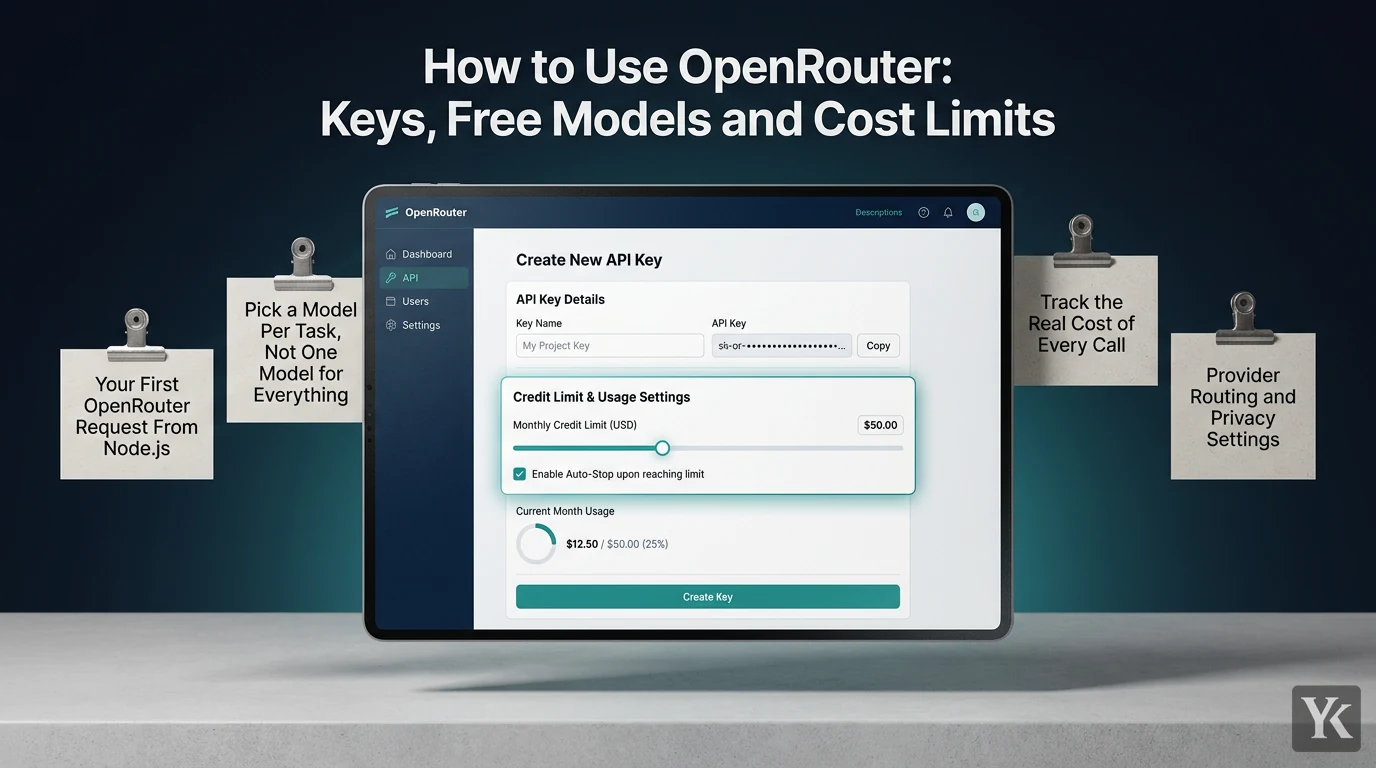
OpenRouter is one API in front of hundreds of AI models from different providers. You get one key, one prepaid credit balance and one OpenAI-compatible endpoint, and you choose the model on each request by its slug, such as openai/gpt-4.1-mini. I built this site's CMS, and its AI pipeline calls OpenRouter directly for article drafts, SEO metadata, research, the blog's chat assistant, images and embeddings. This guide shows how to use OpenRouter step by step, from a capped key to code, retries and cost tracking, with that pipeline as the worked example.
What Is OpenRouter and How Does It Charge You?
OpenRouter is a routing layer between your code and the model providers. You send a request to https://openrouter.ai/api/v1/chat/completions in the same format as OpenAI's API, name the model, and OpenRouter forwards it to a provider that serves that model. By default it spreads requests across that model's providers and, per OpenRouter's FAQ, falls back to the next provider when one returns an error. As of September 2026, its pricing page lists 500+ models from 80+ providers on paid plans.
You pay with prepaid credits, denominated in US dollars. The FAQ on pricing and fees says OpenRouter passes through each provider's per-token price with no markup on inference. It makes its money on fees instead. As of September 2026:
- Buying credits: a 5.5% fee with a $0.80 minimum on the Standard pay-as-you-go plan, or 5% for crypto payments. The Business plan charges 8%. On a $10 top-up the minimum applies, since 5.5% would be $0.55.
- Purchase size: $5 minimum and $25,000 maximum per transaction, per the terms of service.
- Bring your own key (BYOK): with your own provider key plugged in, the first $25,000 a month of list-price inference carries no fee on Standard and Business ($200,000 on Enterprise). Above that, OpenRouter takes 5% of what the same model and provider would cost through it, from your credits.
- Refunds: unused credits can be refunded within 24 hours of purchase, but the fee can't, and crypto payments never are. OpenRouter also reserves the right to expire unused credits a year after purchase.
So the fee pays for one API, one bill and automatic provider fallback. If you only ever call one provider, buying from that provider directly skips it.
Create a Key With a Credit Limit Before You Write Code
Sign up at openrouter.ai, add credits if you plan to use paid models, and open the API keys page in your dashboard. When you create a key, you give it a name and a credit limit, or no limit. Per OpenRouter's authentication docs, the limit can also reset daily, weekly or monthly, and once a key has used it up, its requests are rejected until you raise the limit or it resets.
Set the limit. OpenRouter's docs recommend one on every key, because "a key with no limit lets a leaked key or a runaway agent spend your entire balance, including any auto top-ups." Treat it as a campaign budget: the cap is decided before launch, not after the invoice.
A few more habits:
- One key per app and environment. A leaked dev key can only spend its own cap, and the Activity page filters usage by key. Extra keys don't add capacity, though: the limits page says more keys or accounts don't change your rate limits.
- Server-side only. Keep the key in an environment variable or a secrets store, never in browser code. OpenRouter is a GitHub secret scanning partner and emails you if it finds your key exposed. In this site's CMS, the key is entered in the admin's AI settings and stored encrypted.
- Check the cap from the command line. This returns the key's label,
limit,limit_remaining,limit_reset, spend so far and today's free-model request count:
curl https://openrouter.ai/api/v1/key \
  -H "Authorization: Bearer $OPENROUTER_API_KEY"
It doesn't return your account balance. That comes from GET /api/v1/credits, which needs a separate management key.
Try It Without Code: The Chat Playground and Free Models
You don't need code, or even credits, to see how OpenRouter behaves. Open the chat playground at openrouter.ai/chat, click Add Model (Ctrl+K or Cmd+K) and type "free" to filter the list. OpenRouter's free models guide suggests the Free Models Router, openrouter/free, which picks a free model at random from those available and filters for what your request needs, such as image input, tool calling or structured outputs. The chat shows which model answered, and conversations are stored locally on your device.
Free has limits. As of September 2026, the Free plan on the pricing page lists 25+ free models from 4 providers, and the limits page caps free-model use by what you have ever bought:
- Under 10 credits purchased: 20 requests per minute and 50 per day.
- 10 or more credits purchased: 20 per minute and 1,000 per day.
Failed requests count toward the daily cap. The FAQ says free models are usually not suitable for production; paid variants, per the limits page, have no platform-level request cap. A :free slug only exists for models that list a free variant: per OpenRouter's free variant docs, it's a separate catalog entry with its own pricing, context length and endpoints, so you can't append :free to any slug.
The playground is also a quick way to compare models on your own prompts. If you write ad copy in another language, run the same brief through two or three models there and let a native speaker pick before any of them goes into code.
Your First OpenRouter Request From Node.js
The API is OpenAI-compatible: base URL https://openrouter.ai/api/v1, your key as a Bearer token, and the model named by a provider/model slug. Copy slugs from openrouter.ai/models or GET /api/v1/models, not from old tutorials, because models get added and retired. Node 18 and later have fetch built in, so this needs no packages:
// first-request.mjs  (run: node first-request.mjs)
const res = await fetch('https://openrouter.ai/api/v1/chat/completions', {
  method: 'POST',
  headers: {
    Authorization: `Bearer ${process.env.OPENROUTER_API_KEY}`,
    'Content-Type': 'application/json',
    'HTTP-Referer': 'https://example.com', // optional: your site
    'X-OpenRouter-Title': 'My App',       // optional: your app's name
  },
  body: JSON.stringify({
    model: 'openai/gpt-4.1-mini', // no credits yet? use 'openrouter/free'
    messages: [{ role: 'user', content: 'Summarize this in two sentences: ...' }],
    max_tokens: 300,
  }),
});

const data = await res.json().catch(() => ({}));
if (!res.ok || data.error) {
  throw new Error(`OpenRouter ${data.error?.code ?? res.status}: ${data.error?.message ?? res.statusText}`);
}

console.log(data.choices[0].message.content);
console.log(data.model, data.usage?.cost); // the model that answered, cost in credits
The two extra headers are optional. They identify your app in OpenRouter's public rankings and app analytics, and without HTTP-Referer no app page is created. The docs now name the title header X-OpenRouter-Title and still accept the older X-Title, which is what this site's CMS sends on its text, chat, image and embedding calls.
Check the body for error even on a 200. OpenRouter's error docs say the 200 status goes out as soon as a provider accepts the request, so a failure after that point arrives inside the response. Already on the OpenAI SDK? Set baseURL to https://openrouter.ai/api/v1 and pass your OpenRouter key; OpenRouter's quickstart treats it as a drop-in replacement.
Pick a Model Per Task, Not One Model for Everything
One model for every job overpays on the easy ones. As of September 2026, OpenRouter's model pages list Claude Opus 4.8 at $5 input and $25 output per million tokens, and GPT-4.1 Mini at $0.40 and $1.60.
Here are this CMS's default models at the time of writing. Everything except the embedding model is a dropdown in the admin's AI settings, so they can change:
| Task | Default model slug |
|---|---|
| Long-form writing and editing | anthropic/claude-opus-4.8 |
| Blog chat assistant | anthropic/claude-haiku-4.5 |
| SEO metadata (short JSON) | openai/gpt-4.1-mini |
| Web research and claim checks | perplexity/sonar-pro |
| Embeddings for topic-overlap checks | openai/text-embedding-3-small |
The SEO metadata and claim-check slots stay on non-reasoning models by design. OpenRouter's reasoning tokens docs say reasoning tokens are billed as output and, on most providers, count against max_tokens. Under a small cap, a reasoning model can spend all of it thinking and return finish_reason: "length" with empty content, and you still pay for the reasoning. Those slots ask for a short JSON object under a tight cap, so their defaults are GPT-4.1 Mini and Sonar Pro, a test keeps those defaults non-reasoning, and the settings menu labels reasoning models "AVOID" there. To spot the problem, subtract usage.completion_tokens_details.reasoning_tokens from usage.completion_tokens: near zero means the budget went to thinking. Retrying won't help; raise the cap, limit the reasoning or use a non-reasoning model.
Fallbacks, Retries and the Errors You Will Actually See
Provider-level fallback is automatic. For model-level fallback, you can send a models array in priority order instead of one model. Per OpenRouter's model fallbacks docs, any error can trigger the next model, including context-length errors, moderation flags, rate limits and downtime, and you pay the price of the model that answered, which the response names in its model field.
This CMS doesn't use the models array. Each step has one configured model, and its text calls handle failures in code:
- Server errors (5xx) and dropped connections get 2 retries, with a 3-second base delay that doubles.
- 4xx errors fail fast. A bad request or an empty balance won't fix itself on a blind retry.
- One 5-minute default timeout is shared by all attempts, so retries don't extend it.
- On a 4xx, it logs
error.metadata.provider_nameanderror.metadata.raw, so a vague "Provider returned error" becomes the provider's actual complaint.
The same policy as a function you can paste:
const RETRIES = 2;          // retries after the first attempt
const BASE_DELAY_MS = 3000; // 3 s, then 6 s
const sleep = (ms) => new Promise((resolve) => setTimeout(resolve, ms));

export async function callOpenRouter(body) {
  const signal = AbortSignal.timeout(5 * 60 * 1000); // one budget for the whole call
  for (let attempt = 0; ; attempt++) {
    let status;
    let data;
    try {
      const res = await fetch('https://openrouter.ai/api/v1/chat/completions', {
        method: 'POST',
        headers: {
          Authorization: `Bearer ${process.env.OPENROUTER_API_KEY}`,
          'Content-Type': 'application/json',
        },
        body: JSON.stringify(body),
        signal,
      });
      data = await res.json();
      status = data.error?.code ?? res.status; // errors can arrive in a 200 body
    } catch (err) {
      if (err.name === 'TimeoutError' || attempt >= RETRIES) throw err;
      await sleep(BASE_DELAY_MS * 2 ** attempt); // network hiccup: try again
      continue;
    }
    if (status < 400) return data;

    const meta = data.error?.metadata ?? {};
    console.error('OpenRouter error', status, data.error?.message, meta.provider_name, meta.raw);
    if (status < 500 || attempt >= RETRIES) {
      throw new Error(`OpenRouter ${status}: ${data.error?.message ?? 'request failed'}`);
    }
    await sleep(BASE_DELAY_MS * 2 ** attempt); // 5xx: back off, then retry
  }
}
The errors you'll meet most, per the same error and limits docs:
- 401: a missing, invalid or disabled key.
- 402: not enough credits on the account or the key. Read
error.metadata.limit_source:openrouter_key_limitmeans the key's cap is used up,openrouter_creditsmeans the balance can't cover the request, andopenrouter_in_flight_budgetmeans running or recently finished requests have filled a temporary spending budget that applies to some newer or low-balance accounts; wait forRetry-Afterand retry. - 429: rate limited, by the free-model caps or by the upstream provider. The docs recommend exponential backoff and honoring
Retry-After. The CMS treats a 429 like any other 4xx. That keeps the code simple, but a rate-limited step fails instead of waiting. - 502 and 503: the model is down, or no provider meets your routing requirements.
Track the Real Cost of Every Call
Every OpenRouter response carries a usage object with token counts and cost. The usage accounting docs report cost in credits, and one credit is one US dollar, so usage.cost reads as dollars. You no longer have to ask for it: the old usage: { include: true } flag is deprecated and has no effect. This CMS still sends it, which is harmless.
What the CMS does with those numbers:
- Cost rows. Every text, chat and image call records the operation (article writing, SEO metadata, fact-check and so on), the model, the token counts and
usage.cost. Calls made on an existing article, such as fact-checks, also store that article's ID. - A monthly budget gate. Before each text, chat and image call, it compares this month's recorded spend with a monthly budget. With the code defaults ($50 a month, editable in the admin), it warns at 80% and refuses new calls at 95%.
- What it doesn't cover. Embedding calls skip both the gate and the cost log. And the text and chat gate fails open: if it can't read the month's spend, it logs a warning and lets the call through.
From the media-buying side, this is the same discipline as ad spend. The per-key cap is the daily budget, the CMS gate is the account-level stop, and cost per article is the CPA of content. An AI agent with access to an ad account needs the same kind of cap, enforced by the system rather than the prompt. If your LLM step sits inside a bigger automation, like the AI-drafted outreach in an automated lead generation workflow, give it its own key so its spend shows up on its own line.
Provider Routing and Privacy Settings
The provider object in the request body overrides the default load balancing. Per OpenRouter's provider routing docs, order sets a preferred list, allow_fallbacks: false stops it from trying others, only and ignore filter providers, sort picks price, throughput or latency, and max_price caps what you'll pay. Appending :nitro to a slug sorts by throughput, and :floor sorts by price.
On privacy, OpenRouter's data collection page says it doesn't store your prompts or responses unless you opt in, either to logging for your own debugging or to letting OpenRouter use them for a 1% discount. It does keep request metadata such as token counts and latency. The provider is the other half, and two fields control it per request. Both also exist as account-wide settings:
const body = {
  model: 'openai/gpt-4.1-mini',
  messages: [{ role: 'user', content: 'Summarize this contract clause: ...' }],
  provider: {
    data_collection: 'deny', // only providers that don't collect user data
    zdr: true,               // only zero data retention endpoints
  },
};
Zero data retention means the provider doesn't store your data for any period. Two catches from the docs: ZDR doesn't extend to plugins and tools you enable, such as web search, and when OpenRouter can't confirm a provider's policy, it assumes that provider retains and trains on data. Every filter also shrinks the pool of fallback providers, so strict settings can leave a request with nowhere to go.
Using OpenRouter With Claude Code and Other Tools
Claude Code can run on OpenRouter credits. OpenRouter's Claude Code guide points it at OpenRouter with a few environment variables, and the empty ANTHROPIC_API_KEY is deliberate: it keeps Claude Code from authenticating against Anthropic directly.
export OPENROUTER_API_KEY="sk-or-..."
export ANTHROPIC_BASE_URL="https://openrouter.ai/api"
export ANTHROPIC_AUTH_TOKEN="$OPENROUTER_API_KEY"
export ANTHROPIC_API_KEY=""
If you were logged in with an Anthropic account, run /logout once, restart, and confirm with /status. Anthropic's gateway docs add two caveats: while a gateway credential is active, your claude.ai subscription isn't used and usage is billed per token (here, from your OpenRouter credits); and Anthropic doesn't endorse, maintain or audit third-party gateways or support routing Claude Code to non-Claude models. OpenRouter says the setup is only guaranteed with Anthropic as the provider and recommends putting Anthropic first in provider order.
Other tools connect the same way: anything that accepts an OpenAI-compatible base URL and key can use https://openrouter.ai/api/v1, and OpenRouter's docs have setup guides for Cursor, Codex CLI and others. If you're still choosing an editor, here's how Claude Code, Cursor and Windsurf differ. If you'd rather call models from an automation platform, see how n8n and Make handle AI steps.
Frequently Asked Questions
What is OpenRouter?
A single API for hundreds of AI models from many providers. You call one OpenAI-compatible endpoint with one key and prepaid credits, name the model on each request, and OpenRouter routes it to a provider, falling back to another if one fails.
Is OpenRouter free to use?
Partly. Free models work without buying credits, capped at 20 requests a minute and 50 a day (1,000 a day once you've bought at least 10 credits) as of September 2026. Paid models draw on prepaid credits.
Does OpenRouter cost more than calling a provider directly?
Not per token: it passes through provider prices without markup. As of September 2026, you pay a 5.5% fee ($0.80 minimum) when you buy credits on the Standard plan (8% on Business), and 5% of BYOK usage above $25,000 a month.
Why am I getting a 402 error when I still have credits?
A key with a credit limit stops at its cap even when the account has money. Check error.metadata.limit_source in the response and limit_remaining from GET /api/v1/key; openrouter_in_flight_budget means recent requests are still settling, so wait for Retry-After.
How do I switch models on OpenRouter?
Change the model slug; the request format stays the same. Keep slugs in config, as this CMS does in its AI settings, and switching becomes a settings change instead of a deploy. Check on the model's page that it supports what you rely on, such as tool calling or structured outputs.
Digital Marketing Technologist
Yosef Kassabry is a media buyer and full-stack developer with 11+ years in paid acquisition for Arabic-speaking audiences across MENA and the Gulf, and more than $10M in managed ad spend. He runs paid media through direct buys and affiliate networks, builds his own tools, and writes about ad platforms, tracking, native ads and affiliate marketing.