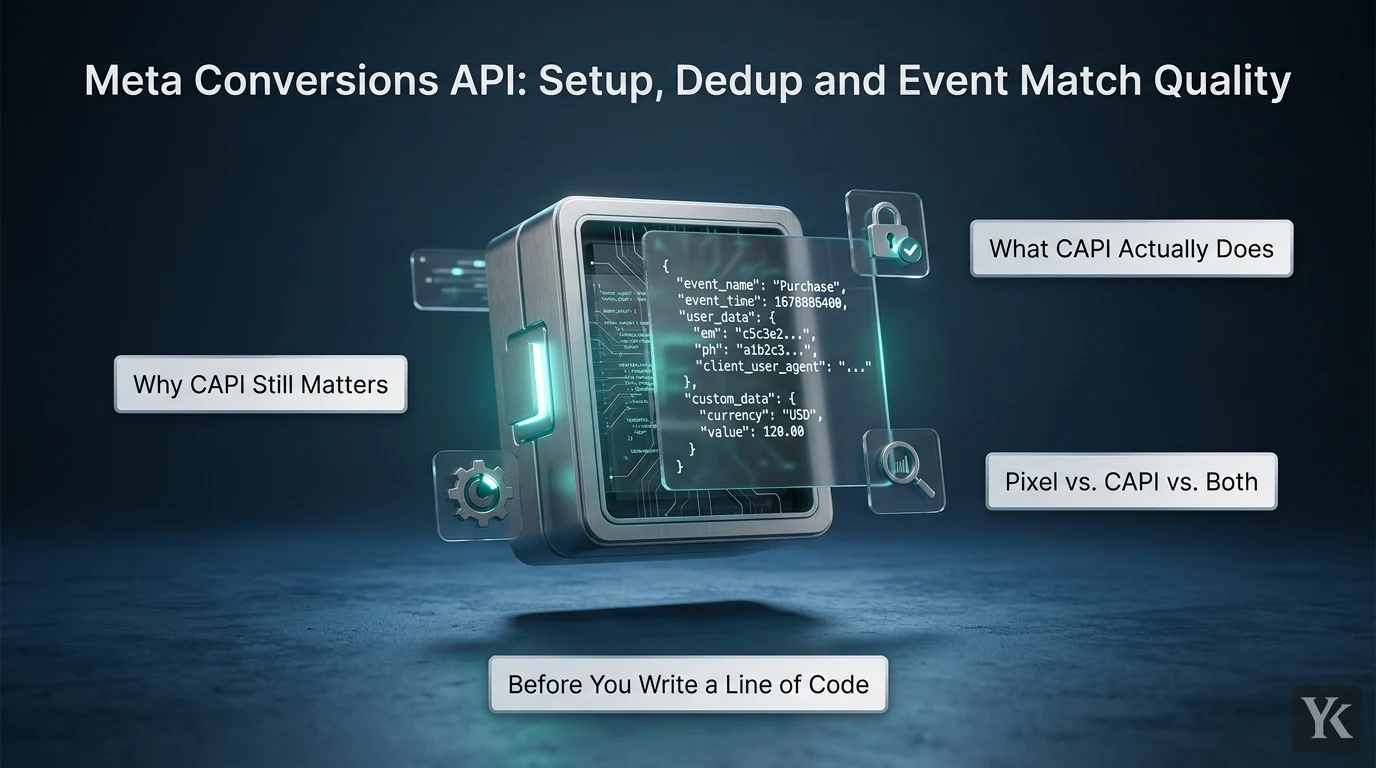
Why CAPI Still Matters
Browser tracking leaks. Safari's Intelligent Tracking Prevention shortens the life of script-set cookies, pages fail to load, connections drop before the Pixel fires, and consent choices can stop it loading at all.
The Meta Conversions API (CAPI, once called the Facebook Conversions API) sends events from your server, website platform, app or CRM directly to Meta. Meta pitches it as a more reliable connection that can carry additional customer information, but the same page says it "isn't designed to be a means to bypass data-sharing policies such as the iOS App Tracking Transparency framework or privacy rules in Europe such as the ePrivacy Directive." Treat it as reliable delivery of events you are allowed to collect, not a way around ad blockers, ATT or consent.
I buy Meta traffic for Arabic-speaking Gulf audiences. Creative gets most of the attention in that work (my Meta ads safe zones guide covers that side), but here is the thing: delivery only optimizes on what reaches your dataset, so my rule is tracking set up before the first dollar is spent.
What CAPI Actually Does
The Meta Conversions API is an HTTP endpoint: you POST a JSON payload to your dataset, and Meta processes the event like a Pixel event for measurement, reporting and optimization. Sources include ecommerce backends, CRMs, app servers, call centers and store systems. If your leads run through a pipeline like the one in my automated lead generation guide, send lead-quality events from the CRM. On Google Ads, the equivalent is uploading CRM conversions against the GCLID.
Sending an event is not the same as matching it: thin or badly formatted customer data gets received and never matched.
Pixel vs. CAPI vs. Both
| Setup | Strengths | Weaknesses |
|---|---|---|
| Browser Pixel only | Captures click context, fbp/fbc and page signals automatically | Events can be blocked or lost to browser settings, page-load errors and connectivity issues |
| Server CAPI only | Not browser-dependent; sends backend-confirmed events | You capture IP, user agent, fbp and fbc yourself; Meta says to go redundant or split first |
| Pixel plus CAPI | Browser context plus server reliability; Meta's recommended "redundant setup" | Needs deduplication, or you double-count conversions |
Run both, and deduplication stops being optional.
Before You Write a Line of Code
What you need:
- Meta Business Suite access to the dataset; the link that generates a token shows only for users with developer privileges
- A dataset in Events Manager (Meta has folded pixels into datasets, and the dataset ID works like a Pixel ID)
- An access token generated in Events Manager, Meta's recommended route (it creates the app and system user for you, with no App Review). Keep it server-side
- One owner per event type: if a Shopify app, your backend and your order system all send Purchase, you have three sources for one sale
Decide which events and customer fields you will send, and how you will generate event IDs, before launch, consent review included.
Pick a Setup Route
Meta's comparison of Conversions API setup options covers three routes, the Conversions API Gateway adds a fourth, and most need no developer:
| Route | Events it can send | Deduplication | What you pay |
|---|---|---|---|
| Meta-enabled (one click) | Web events the Pixel sees | Automatic | Free |
| Platform or partner | Depends on the partner | Depends on the partner | No extra cost on Shopify, WooCommerce, Wix and BigCommerce; otherwise depends on the partner |
| CAPI Gateway (no code) | Web events the Pixel sees | event_id generated for you |
Cloud or partner fees |
| Direct integration | Web, app, offline, CRM, messaging | You pass event_id |
Development and maintenance |
On those commerce platforms, Meta says setup "takes just a few clicks and comes at no additional cost", and partners such as Google Tag Manager, Tealium and Adobe offer their own routes. They hide the event logic and become a second source if you also run custom code. A direct integration takes 2 to 4 weeks by Meta's estimate and is the only route for app and offline events. Automatic deduplication doesn't audit your data: values, currencies and consent handling are still yours to check.
When the Conversions API Gateway Makes Sense
The Conversions API Gateway is a self-serve, no-code option in Events Manager. It runs in a cloud account your business owns (AWS or GCP), receives events from the Pixel, forwards them to CAPI and generates the event_id so both channels deduplicate. Meta says its only cost is the cloud resources or partner fees. It suits a marketer with some technical skill and little developer support, but it only forwards browser events.
Send a Server Event from Node
The flow for a web purchase:
- A visitor clicks a Meta ad, and the Pixel stores the click ID in
_fbc, beside the_fbpbrowser ID. - At checkout, your server saves the IP, user agent,
_fbp,_fbcand page URL with the order. - When payment clears, the backend derives one
event_idfrom the order ID, such aspurchase-10542. - The thank-you page fires the Pixel
Purchasewith that ID; a queue worker sends the serverPurchasewith it too. - Meta sees matching
event_nameandevent_idand keeps one.
A queue keeps checkout fast, but don't let it lag: Meta says events sent over 2 hours late can significantly hurt performance, and delays of 24 hours or more may cause significant attribution and delivery issues.
Events go in a POST to https://graph.facebook.com/{API_VERSION}/{DATASET_ID}/events with your access token, up to 1,000 per request:
| Field | Website events | Notes |
|---|---|---|
event_name |
Required | Must match the Pixel event name exactly |
event_time |
Required | Unix seconds (GMT), up to 7 days old; one older event fails the whole request |
action_source |
Required | website (others include app and physical_store) |
event_source_url |
Required | The page where the event happened |
event_id |
Needed for dedup | Must equal the Pixel's eventID |
user_data |
Required | Hashed contact fields plus unhashed IP, fbp, fbc and the required client_user_agent |
custom_data |
Optional | value, currency, order_id |
Meta recommends its Business SDK (facebook-nodejs-business-sdk); plain fetch below shows what goes over the wire.
Hash Email and Phone Correctly, Including Gulf Numbers
Meta's customer information parameters require contact fields to be normalized, then SHA-256 hashed:
em: trimmed and lowercased.ph: digits only, with the country code and no symbols or leading zeros, even if all customers are in one country.fn,ln,ct: lowercase, no punctuation; Roman a-z recommended, other scripts in UTF-8.country: lowercase ISO 3166-1 alpha-2 (sa,ae).external_id: hashing recommended.- Never hash
client_ip_address,client_user_agent,fbporfbc, and never send a hashing-required field in plain text: Meta's Payload Helper says those are rejected.
Gulf audiences bring two traps. Mobiles get typed the domestic way (055 123 4567 in Saudi Arabia, 050 123 4567 in the UAE), sometimes with that 0 kept after the country code (+966 055..., +971 (0)50...), while Meta wants 966551234567 or 971501234567. And Arabic keyboards can type Arabic-Indic digits (U+0660 to U+0669), while Persian and Urdu keyboards can type Extended Arabic-Indic ones (U+06F0 to U+06F9). JavaScript's \D treats both as non-digits, so phone.replace(/\D/g, '') turns ٠٥٥١٢٣٤٥٦٧ into an empty string, and hashing that sends the SHA-256 of nothing (e3b0c442...). Convert those digits first, and if nothing usable is left, leave ph out.
For names, Meta recommends Roman a-z and accepts Arabic as UTF-8, where lowercasing changes nothing. fn and ln accept a list, so a customer's Arabic and Latin spellings can both go in.
A minimal example I wrote from Meta's spec, not a drop-in library:
// Minimal example written from Meta's Conversions API docs. Node 18+, no dependencies.
const crypto = require('node:crypto');

const CALLING_CODES = { SA: '966', AE: '971' }; // check a country's numbering plan before adding it
const sha256 = (s) => crypto.createHash('sha256').update(s, 'utf8').digest('hex');

function normalizeEmail(raw) {
  const email = String(raw ?? '').trim().toLowerCase();
  return email.includes('@') ? email : null;
}

function normalizePhone(raw, country) {
  const input = String(raw ?? '').trim()
    .replace(/[\u{660}-\u{669}]/gu, (d) => d.charCodeAt(0) - 0x660)  // Arabic-Indic digits
    .replace(/[\u{6F0}-\u{6F9}]/gu, (d) => d.charCodeAt(0) - 0x6F0); // Extended Arabic-Indic
  let digits = input.replace(/\D/g, ''); // only then strip everything else
  if (!digits) return null;              // nothing usable: omit ph, never hash ''

  if (/^\D*\+/.test(input)) {
    // + before the first digit: already international, e.g. +971 50 123 4567
  } else if (digits.startsWith('00')) {
    digits = digits.slice(2);            // 00966... dialled from abroad
  } else {
    const code = CALLING_CODES[String(country ?? '').toUpperCase()];
    if (!code) return null;              // unknown country: no usable number
    digits = digits.replace(/^0+/, '');  // domestic trunk 0: 055... becomes 55...
    if (!digits.startsWith(code)) digits = code + digits;
  }
  for (const code of Object.values(CALLING_CODES)) {
    // trunk 0 kept after the code: +966 055... or +971 (0)50...
    if (digits.startsWith(code + '0')) digits = code + digits.slice(code.length + 1);
  }
  return /^[1-9]\d{7,14}$/.test(digits) ? digits : null; // E.164: at most 15 digits
}

function buildUserData(c) {
  const em = normalizeEmail(c.email);
  const ph = normalizePhone(c.phone, c.country);
  const userData = {
    em: em && sha256(em),
    ph: ph && sha256(ph),
    country: c.country && sha256(c.country.toLowerCase()), // ISO code: "sa", "ae"
    external_id: c.customerId && sha256(String(c.customerId)),
    client_ip_address: c.ip,        // these four are sent as-is, never hashed
    client_user_agent: c.userAgent, // required for website events
    fbp: c.fbp,
    fbc: c.fbc,
  };
  return Object.fromEntries(Object.entries(userData).filter(([, v]) => v)); // drop empty fields
}

// No _fbc cookie but ?fbclid= in the landing URL: build fbc, case untouched
const fbcFromFbclid = (fbclid, firstSeenMs) =>
  fbclid ? `fb.1.${firstSeenMs}.${fbclid}` : undefined;
In Node 22, normalizePhone turns 0551234567 (SA), +966 055 123 4567, 00966551234567 and ٠٥٥١٢٣٤٥٦٧ (SA) into 966551234567; +971 (0)50 123 4567 and 050 123 4567 (AE) into 971501234567; and '', abc or a local number with no country into null. ' [email protected] ' hashes like [email protected].
Pass fbp and fbc Without Mangling Them
Send fbp and fbc from the _fbp and _fbc cookies, unhashed. If _fbc is missing but the landing URL carried fbclid, fbcFromFbclid builds fb.1.<milliseconds>.<fbclid> from when you first saw the click; Meta's fbp and fbc guide suggests keeping that value in a server-set _fbc cookie or in your backend. The fbclid is case-sensitive, and Meta recommends sending fbc with every event. It's the same discipline as keeping gclid intact, which I covered in my Google Ads tracking template guide.
Send the Event
const API_VERSION = 'v26.0'; // latest in Meta's Graph API changelog when written; check it before deploying
const { META_DATASET_ID, META_CAPI_TOKEN } = process.env;

async function sendPurchase(order, visitor) {
  const payload = {
    data: [{
      event_name: 'Purchase',                      // must match the Pixel event name exactly
      event_time: Math.floor(order.paidAt / 1000), // Unix seconds; over 7 days old fails the request
      event_id: `purchase-${order.id}`,            // the same string the Pixel sends as eventID
      action_source: 'website',
      event_source_url: visitor.pageUrl,
      user_data: buildUserData({ ...order.customer, ...visitor }),
      custom_data: { currency: order.currency, value: order.total, order_id: String(order.id) },
    }],
    // test_event_code: 'TEST12345',               // Test Events only; remove in production
  };
  const url = `https://graph.facebook.com/${API_VERSION}/${META_DATASET_ID}/events?access_token=${META_CAPI_TOKEN}`;
  const res = await fetch(url, {
    method: 'POST',
    headers: { 'Content-Type': 'application/json' },
    body: JSON.stringify(payload),
  });
  if (!res.ok) throw new Error(`Meta CAPI ${res.status}: ${await res.text()}`); // retry with the same event_id
  return res.json(); // e.g. { events_received: 1, messages: [], fbtrace_id: '...' }
}
API_VERSION is pinned on purpose: Meta ships Graph API versions a few times a year and retires old ones on a published schedule, so check the Graph API changelog when you deploy. Failed requests go back on the queue with the same event_id.
Deduplication: The Core Requirement
Per Meta's deduplication docs, a browser event and a server event count once only when the Pixel's eventID equals the server's event_id and the event names match. Generate the ID once, on your side; if the browser and the server each create their own, Meta counts both. On the Pixel, eventID goes in the fourth argument of fbq:
<script>
  // Rendered from the order record: the same ID the server sends as event_id
  fbq('track', 'Purchase', { value: 249.00, currency: 'SAR' }, { eventID: 'purchase-10542' });
</script>
Deduplication Windows and Special Cases
Meta deduplicates matching events received within 48 hours of the first one with that event_id. Its fallback, matching on fbp or external_id, generally works only when the browser event arrives first. The 28-day window you may see quoted belongs to order_id-based purchase deduplication, which Meta limits to select partners. Offline events (action_source set to physical_store) deduplicate on order_id, fall back to user-based logic, and have a maximum window of 7 days.
How to Audit Deduplication
In Events Manager, each event's Event Deduplication tab shows what share of Pixel and CAPI events carried each deduplication key and how much the two overlap; Meta's server event details guide says higher is better for both. Its deduplication help page adds a Test Events check and common causes. If most events arrive without an event_id, only the weaker fbp or external_id fallback is left.
Event Match Quality Explained
Event Match Quality (EMQ) is Meta's score out of 10 for how well your server events' customer information can match them to Meta accounts, based on the parameters sent and the share matched over the last 48 hours. It covers website events sent through CAPI with action_source set to website, and it is not conversion rate or ROAS.
Meta ranks email and click ID (fbc) as high priority; phone, external ID, browser ID (fbp), country, date of birth and Facebook Login ID as medium; names, city, zip code and lead ID as low.
Vendor and agency guides quote targets such as "6.0 or higher", but Meta's own EMQ pages set no target and point to the recommended actions in Events Manager instead. The number Meta does publish is for coverage: its server event details guide says to aim for a 75% event coverage ratio of CAPI events to Pixel events.
Data Quality Checklist
- Email and phone normalized before hashing, Arabic-Indic digits converted and the trunk 0 dropped
-
fbpandfbcsent unhashed whenever you have them -
event_timeset to when the conversion happened, not when a batch ran -
valuea number,currencyan ISO code such asSARorAED - Empty fields omitted, never sent blank or as a hash of nothing
- EMQ compared per event type, since an average can hide a weak Lead event behind a strong Purchase
Testing and Troubleshooting CAPI
- Open Test Events for your dataset in Events Manager and copy its test code.
- Send server events with it as
test_event_code(the commented line insendPurchase). - Place a test order and check that browser and server events share
event_nameandevent_idand show as deduplicated. - Fix any warnings, and compare the event with the order in your backend.
- Remove
test_event_codebefore production. Meta says events sent with it aren't dropped: they flow into Events Manager and are used for targeting and measurement, so test orders count too.
Low EMQ is a data quality problem, not a volume problem: check that email and phone are captured, normalized before hashing and never sent empty, and that fbc gets built from fbclid. Duplicate reporting usually traces back to IDs generated separately by browser and server, a thank-you page that makes a new eventID on every reload, webhook retries with a new event_id, or several integrations each sending Purchase. Trace one order ID through your logs and Events Manager; the fix is one event_id per order, stored and reused, and one integration per event.
Privacy, Consent, and Data Governance
Server-side sending changes where data travels, not what you are allowed to collect or share. Meta's end-to-end implementation guide says that if you have logic controlling consent for Pixel data, you should use the same logic for the Conversions API. A visitor who declines tracking in your banner hasn't said yes to your server either.
Meta's Business Tools Terms require lawful rights to the data, hashed contact information and no sensitive information, and Meta tells advertisers to work with their own legal counsel. This isn't legal advice. For the Gulf, read Saudi Arabia's Personal Data Protection Law on the regulator SDAIA's site and the UAE's Federal Decree-Law No. 45 of 2021 on personal data protection. In practice, send only the fields you need, restrict access to the token, and make sure deletion requests reach every system that stores event data.
Frequently Asked Questions
Is CAPI a replacement for the Meta Pixel?
Usually not. Meta recommends sending the same events through both, and says to run a redundant or split setup before going server-only.
Is the Meta Conversions API free?
Meta lists no fee for the API itself. The Meta-enabled option and major commerce platforms cost nothing extra; the Gateway costs cloud or partner fees, and direct integration costs development and maintenance.
What EMQ score should I target?
Meta scores it out of 10, and its EMQ pages give no target score; the 6.0-style numbers come from vendor guides. Send the high-priority fields you legitimately have, formatted Meta's way.
Can offline events be deduplicated?
Yes: on order_id by default, with user-based matching as the fallback, within a maximum window of 7 days. Meta recommends sending them in real time or daily.
Getting the Meta Conversions API right is a data quality job; the API call is the easy part. Use one event_id per conversion, normalize before you hash, and check the results against your backend records like any other data pipeline.
Digital Marketing Technologist
Yosef Kassabry is a media buyer and full-stack developer with 11+ years in paid acquisition for Arabic-speaking audiences across MENA and the Gulf, and more than $10M in managed ad spend. He runs paid media through direct buys and affiliate networks, builds his own tools, and writes about ad platforms, tracking, native ads and affiliate marketing.