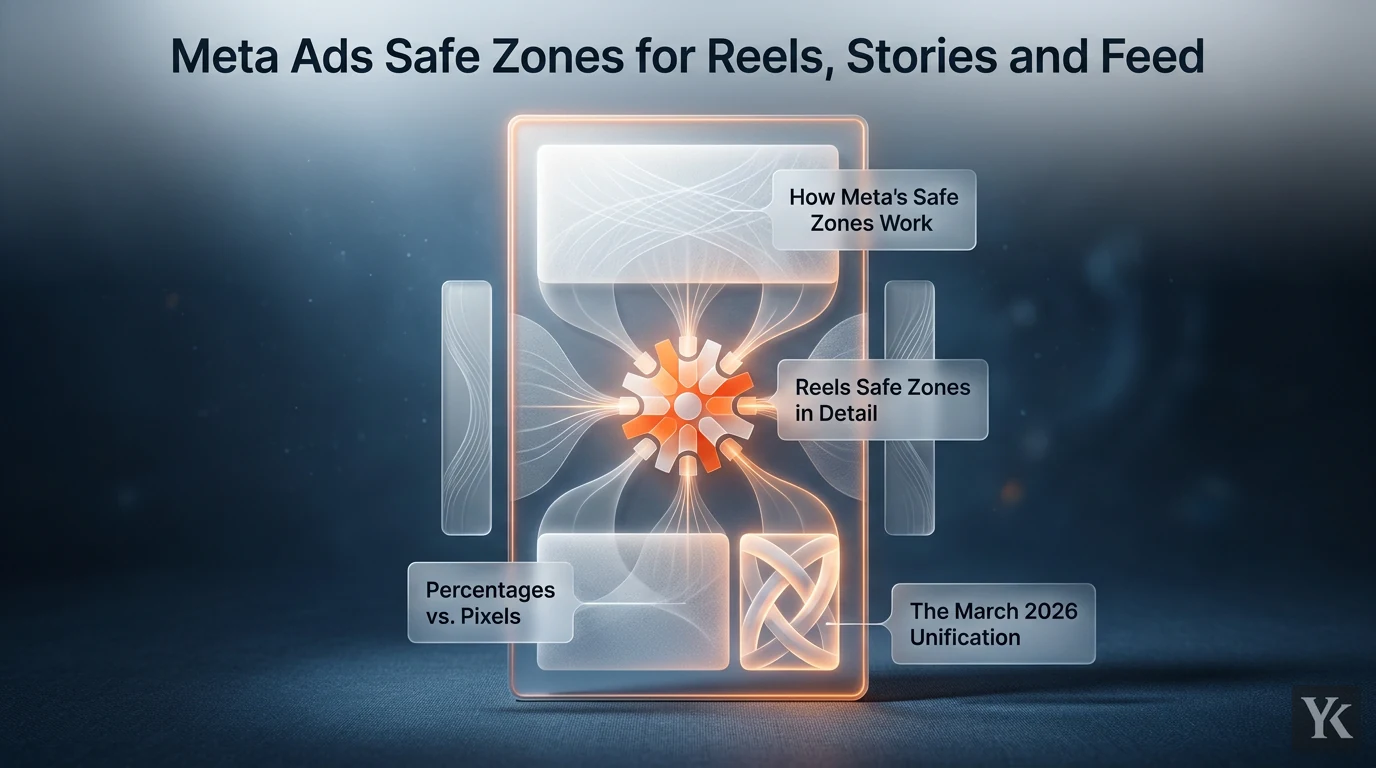
Most creative problems on Meta aren't targeting problems. They're not bidding problems either. They're design problems, specifically, text and logos sitting in parts of the frame that Meta's own UI covers up. The advertiser can easily miss it in the creative preview. The audience never sees it at all. That's what meta ads safe zones are about: knowing exactly which pixels Meta is going to paint over before you spend a dollar.
This guide covers the current specs for Reels, Stories, and Feed, including the unified 9:16 framework that went into effect in March 2026.
How Meta's Safe Zones Work
Meta's video placements, Reels and Stories in particular, layer platform UI directly on top of your creative. In Stories, the profile photo, account name and Ad label sit across the top. In Reels, the account name, follow button, caption, audio label and CTA stack up along the bottom, and the like, comment, share and save icons run down the right edge. The sides lose a thin strip too, because Meta may zoom a 9:16 creative to fill screens taller than 9:16.
None of that UI moves out of the way for your ad. It just sits there, on top of whatever you put in those zones.
The safe zone is the area that remains visible. Keep your hooks, product shots, logos, and any text you actually want people to read inside that area. Put them outside it, and they're covered.
Percentages vs. Pixels
Meta expresses safe zones as percentages of the frame, which is smart because it scales across device sizes. The current guidance for 9:16 Reels and Stories, from Meta's Ads Guide, is:
- Top: ~14% reserved (Stories: profile photo, account name, Ad label; Reels: header and camera icon)
- Bottom: ~35% reserved in both Reels and Stories (caption, account name, CTA)
- Sides: ~6% per side
- Bottom-right corner: the right 21% of the frame stays clear up to 40% from the bottom, where the like/comment/share icons sit (Meta's safe zone diagram)
On a 1080x1920 canvas, 14% top = roughly 270px, and 35% bottom = roughly 670px. On a 1440x2560 canvas, those become approximately 358px at the top and 896px at the bottom. Side margins come to about 65px on the 1080-wide canvas and 86px on the 1440-wide one.
Those pixel numbers are useful for Figma or Photoshop templates. But the percentages are what actually matter, because your creative needs to survive on a range of screen sizes.
The March 2026 Unification
This is the part most teams haven't caught up to yet. JuicyLucy's write-up of Meta's Reels creative playbook reports that as of March 2026, Facebook Stories, Facebook Reels, Instagram Stories, and Instagram Reels now share unified safe zone specifications.
Before this, teams were maintaining slightly different templates for each placement. That's mostly gone now. One 9:16 master template, built to the unified spec, works across all four placements. The practical difference is significant for anyone running Advantage+ placements or using the same vertical video across multiple ad sets.
The unification is real. Meta's safe zone help article applies one guide to 9:16 ads in Stories, Reels, Feed and Facebook in-stream reels, and the Instagram Stories, Instagram Reels and Facebook Reels ad specs all say 14% top, 35% bottom and 6% per side. The one holdout is Meta's Facebook Stories video spec page, which still carries the old wording: 20% (340px) at the bottom. Design to 35% and you're covered either way.
Reels Safe Zones in Detail
Reels is where the bottom safe zone bites hardest, because that's where the most UI stacks up. Billo's 2026 safe zone guide maps out what actually lives in that bottom 35%: the caption area, the like/comment/share/save icon stack, and the CTA bar. That's a lot of interactive UI stacked in a zone where most designers instinctively want to put their call to action.
The Central Safe Canvas
Strip away Meta's margins and the safe canvas is a centered box 88% of the width (6% to 94%) and 51% of the height (14% to 65%), about 950 x 980px on a 1080x1920 canvas. Meta's safe zone diagram also takes a bite out of its bottom-right corner: the right 21% of the frame (about 227px) is covered up to 40% from the bottom (about 768px), where the engagement icons sit.
Everything critical, your hook text, your product, your face, your logo, needs to live inside that box. Off-center compositions can still work visually, but the moment something critical drifts into the top 14%, bottom 35%, or side 6%, you've lost it to UI.
What Actually Gets Covered
It helps to think through this concretely:
| Zone | Approximate Size (1080x1920) | UI Elements Covering It |
|---|---|---|
| Top | ~270px | Reels header and camera icon (Stories: profile photo, account name, Ad label) |
| Bottom | ~670px | Account name, follow button, caption, audio label, CTA |
| Left side | ~65px | Edge cropping on screens taller than 9:16 |
| Right side | ~65px, widening to ~227px across the bottom ~768px | Edge cropping, plus the like/comment/share/save icon rail |
| Central canvas | ~950 x 980px (88% x 51%), minus the bottom-right corner | Nothing, this is your safe area |
That bottom number, 670px on a 1080x1920 canvas, is more than a third of your vertical frame. If you've been placing a product shot or key text in the lower third of a Reels ad, it's probably been getting covered.
Stories Safe Zones: Same Box as Reels
Stories now uses the same safe zone as Reels: ~14% top, ~35% bottom and ~6% per side. Meta's Instagram Stories ad spec states the 35% bottom figure directly. The older rule that Stories only needs ~20% at the bottom still circulates, and it's the one to retire.
On a 1080x1920 canvas, that's about 270px at the top and 670px at the bottom. The 250px top / 340px bottom figures you'll still see quoted come from Meta's Facebook Stories video spec page, and Lucid Media's pixel-level guide for 2026 recommends designing to the 670px Reels bottom so one file works in both placements. Different sources give slightly different numbers here, mostly because not all of Meta's own pages have been updated. The safe approach is to use the more conservative figure.
Stories vs. Reels: Quick Comparison
| Placement | Top Safe Zone | Bottom Safe Zone | Sides |
|---|---|---|---|
| Instagram/Facebook Reels | |||
| Instagram/Facebook Stories |
On paper, the two placements now match. The creatives that get their CTA buried are the ones still built on an old 20%-bottom Stories template. If you're designing a single asset for both, use the Reels spec (35% bottom) and it'll be safe everywhere.
Feed Safe Zones: A Different Problem
Feed placements work differently. For 1:1 and 4:5 creatives, most of the UI (username, caption, action buttons) sits above and below the media, but Meta still advises keeping the bottom and side edges of Instagram Feed ads free of text and logos. A 9:16 video ad in Instagram Feed gets the full Reels and Stories safe zone. Beyond that, the Feed concern is cropping and truncation.
Aspect Ratios for Feed
Meta's Ads Guide now lists 4:5 at 1440x1800 as the recommended spec for Facebook Feed and Instagram Feed image ads and for Facebook Feed video, with 1:1 still supported in both feeds. The shift away from square as the default is real. Portrait takes up more mobile screen real estate, and on a feed that's mostly vertical scroll, more real estate means more attention.
For video in Feed, 4:5 and 9:16 both work, but 9:16 in Feed gets cropped to 4:5 in some contexts. If you're running the same 9:16 asset across Feed and Reels, test how it crops. The safe canvas concept still applies: keep critical elements away from the very edges.
Text Truncation in Feed and Reels
One thing that doesn't get enough attention: primary text gets truncated long before you run out of room. Meta's Ads Guide recommends 125 characters for Instagram Feed and Stories and 50-150 for Facebook Feed, but only 44 for Instagram Reels and 40 for Facebook Reels. On Reels, your hook needs to land in roughly the first 40 characters. Anything beyond that requires the viewer to tap "see more," and most won't.
This isn't just a copywriting note. It's a safe zone principle applied to text fields: the visible area is smaller than the available area, so design for the visible area.
Does Placement Actually Affect Performance?
Yes, and the mechanism is straightforward. If your hook is covered by the account name at the top of a Story, or by the caption and audio label at the bottom of a Reel, viewers don't see it in the first second of playback. If your CTA is buried under the like/share icons in the bottom-right corner of a Reels ad, the click never happens even if the viewer wants to act.
Meta's own safe zone guidance makes the same link, telling advertisers that keeping critical text and visuals inside the safe zone helps protect key elements and optimize ad performance. Moving hook text out of the lower third doesn't change the copy or the targeting. It just makes the hook visible.
Teams running A/B tests on safe zone placement should isolate this as the only variable. Same copy, same creative, same targeting, different text position. The results tend to be more conclusive than most copy tests because the variable is binary: either the viewer sees the hook or they don't.
Can You Design One Asset for All Placements?
Mostly yes, with one important caveat. The primores.org breakdown of Meta's ad placement mechanics explains how Meta's auto-placement can shift a creative into different contexts, Feed, in-stream Reels, Stories, all from a single ad set. The unified spec helps here: every 9:16 Stories and Reels placement now uses the same 14% top, 35% bottom and 6% side margins.
The practical answer is to design to the most restrictive spec. Use the Reels bottom safe zone (35%) as your baseline. That asset will be safe in Stories too. Designing for every placement also lets you keep them all on, which is one of the fixes for Learning Limited ad sets.
Where Feed shows a 9:16 asset at 4:5, a centered crop removes about 15% from the top and 15% from the bottom (roughly 285px each on 1080x1920). Meta's 9:16 safe canvas (14% to 65% of the height) survives that crop almost entirely, so keep headlines a little below the 14% line rather than sitting right on it.
The same logic applies when repurposing assets across platforms. House of Marketers' cross-platform safe zone guide compares Meta's overlay areas with TikTok's, and the central framing principle holds across both. A vertical video built with key elements in the central third of the frame travels well.
Building a Safe-Zone Workflow
The easiest way to operationalize this is templates. Heysage's free safe zone checker visualizes the Meta UI overlays for Reels and Stories so designers can see exactly what gets covered before anything goes to the client or into Ads Manager. Meta's own Safe zone guardrail does the same job, but only inside Ads Manager, once the asset is already uploaded.
A basic workflow looks like this:
- Start from a 9:16 template with overlay guides already drawn for top 14%, bottom 35%, and sides 6%
- Place all critical elements (hook text, product, face, logo) inside the central 88% x 51% canvas, keeping the bottom-right corner (right 21%, bottom 40%) clear
- For Feed, verify the 4:5 crop on any 9:16 asset doesn't cut critical elements
- Run the creative through a safe zone checker or mockup tool before launch
- For A/B tests, make safe zone positioning the isolated variable at least once per campaign
The Native Ads Affiliate Marketing: launch plan approach of setting kill rules before launch applies here too. Decide before the campaign goes live what a failed creative looks like, not after you've spent budget on an asset where the hook was invisible.
Branding Inside Safe Zones
Logo placement is where teams most often break the rules without knowing it. The instinct is to put the logo in a corner, usually top-left or bottom-right. Both of those positions fall inside the UI overlay zones on a 9:16 Reels or Stories ad.
The fix is to keep the logo inside the central safe canvas, small enough not to clutter the creative but large enough to be legible. Some creative strategies use a lower-center logo position, well above the 35% bottom safe zone, which works in Reels without conflicting with the engagement icon stack.
Motion design follows the same rule. If a logo animates in from the bottom, make sure it lands inside the safe zone before the viewer would naturally look at it. An animated logo that flies up from the caption area and settles inside the safe zone is fine. One that settles in the bottom 35% is invisible.
For teams running multiple placements from a single creative, build the check into the process rather than relying on memory. Safe zone compliance is exactly the kind of thing that gets skipped under deadline pressure unless it's on a physical checklist.
Frequently Asked Questions
What are Meta ads safe zones exactly?
Safe zones are the areas of your ad creative that remain visible to viewers because they're not covered by Meta's platform UI. In Reels and Stories, UI elements like the account name, follow button, caption, and engagement icons sit directly on top of the video. The safe zone is the central portion of the frame where none of that UI appears.
Are safe zones the same for Reels and Stories?
Yes, as of 2026. Meta gives one safe zone for 9:16 ads in Facebook and Instagram Stories and Reels: keep roughly 14% of the top, 35% of the bottom and 6% of each side free of text and logos, plus the bottom-right corner where the engagement icons sit. Meta's Facebook Stories video spec page still quotes a 20% bottom, but designing to 35% is safe in every placement.
Do Feed ads have safe zones?
Partly. For 1:1 and 4:5 creatives most of the UI sits above and below the media, but Meta still advises keeping the bottom and side edges of Instagram Feed ads free of text and logos, and 9:16 video ads in Instagram Feed use the full Reels and Stories safe zone. Primary text is the other limit: Meta recommends 125 characters for Instagram Feed and 50-150 for Facebook Feed.
Can one 9:16 creative work across all Meta placements?
Yes, if you design to the most restrictive spec. Use the Reels bottom safe zone (35%) as your baseline, keep all critical elements within the central 88% x 51% canvas (clear of the bottom-right icon rail), and verify how the asset crops to 4:5 for Feed. A single master template built this way works across Reels, Stories, and Feed without losing critical elements to cropping or overlay.
How do I check if my creative respects safe zones?
The most reliable method is a safe zone overlay template in your design tool (Figma, Photoshop, or similar) with the exact percentages drawn as guides. Free tools like safe zone checkers also let you preview how Meta's UI will sit on your specific creative before launch. In Ads Manager itself, switch on the Safe zone guardrail: the safe zone is the area inside the yellow overlay it draws on your creative. A design-tool template still catches problems earlier, before anything is exported.
Applying Safe Zones as a Creative Advantage
Here's the thing: most competitors are still designing without safe zone templates. They're placing hooks in the lower third, logos in corners, and CTAs near the bottom edge, and then wondering why Reels completion rates are low. The fix is mechanical, not creative.
Getting meta ads safe zones right doesn't constrain the creative. It just means the creative actually gets seen. An 88% x 51% central canvas is still a workable frame. Strong hooks, product shots, faces, and motion all work inside it. The constraint is real, but it's also the same constraint your audience's device is imposing whether or not you account for it.
The teams that treat safe zone compliance as a pre-launch checklist item, not an afterthought, are the ones whose ads actually deliver what the creative promised. Attention to setup detail, applied to creative specs, is what separates campaigns that perform from campaigns that look fine in preview and fall apart in the feed. The same check applies to creator videos you run as whitelisting ads: they were framed for organic viewing, not for your CTA.
Digital Marketing Technologist
Yosef Kassabry is a media buyer with 11+ years in paid acquisition for Arabic-speaking audiences across MENA and the Gulf. He runs paid media through direct buys and affiliate networks, and writes about ad platforms, tracking, native ads and affiliate marketing for people who run campaigns.