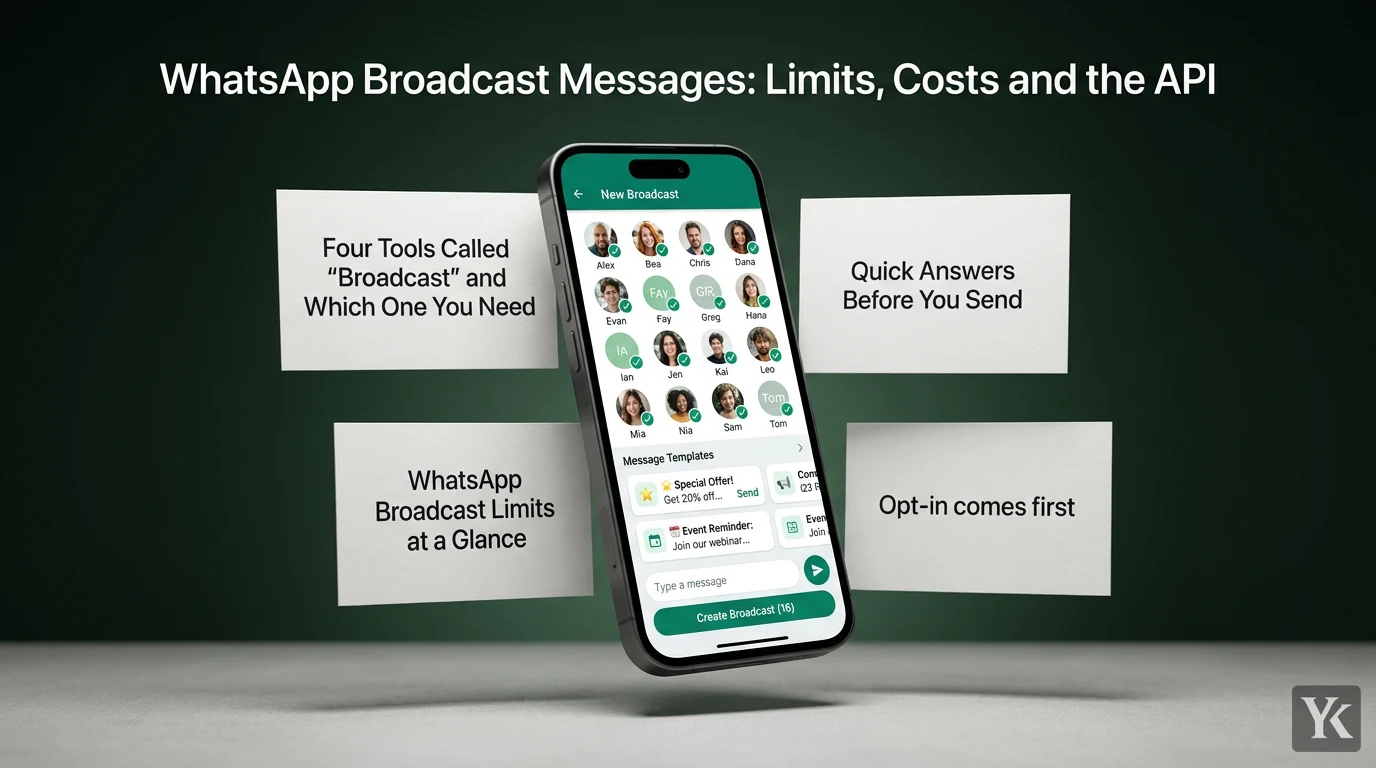
A WhatsApp broadcast message used to mean one thing: pick up to 256 contacts, type once, and everyone gets a private chat. Now the same word covers four tools with different limits, prices and rules about who can receive them, and mixing them up is how broadcasts go undelivered or cost more than planned.
Below: which tool you need, quick answers, then the API route in detail, from limits and per-country pricing to templates in other languages and an opt-in send flow you can automate.
Four Tools Called "Broadcast" and Which One You Need
| Tool | Where it lives | Who receives it | The catch | Pick it when |
|---|---|---|---|---|
| Broadcast list | WhatsApp and WhatsApp Business apps | Up to 256 contacts per list, only those who saved your number | Free per message, but a cap of 35 a month is rolling out in some countries | You message a small circle who know you |
| Business broadcast | WhatsApp Business app, Tools tab | Opted-in customers you select | A fee per message delivered within 5 days, in limited countries | You sell from the app and have no developer |
| Channel | Updates tab | Anyone who follows | Followers can't reply to updates | You want public announcements at any scale |
| API marketing template | WhatsApp Business Platform (Cloud API) | Opted-in users, within your limits | Charged per delivered message, by category and country code | You need automation, a CRM link or volume |
Channels are the odd one out: they sit outside the chat list, and followers never see your profile name, picture or phone number, per WhatsApp's channel guide for businesses. A channel is a noticeboard. The other three land in private chats, where the rules get strict.
Business broadcasts are the newest. WhatsApp began rolling out paid marketing messages in the Business app in several countries in June 2024 (its announcement), and its Help Center now calls them business broadcasts in some countries. They're still limited to certain countries, and the WhatsApp Business Platform doesn't currently support them, so app and API stay separate. Set an account spending limit before the first send; WhatsApp pauses ads and business broadcasts when you reach it.
Quick Answers Before You Send
Is a WhatsApp broadcast free?
Broadcast lists cost nothing per message, but WhatsApp says people in some countries might see a monthly broadcast limit of up to 35 free broadcast messages, rolling out gradually; check yours under Settings > Broadcasts. Business broadcasts are paid per message delivered to a contact within five days of sending, priced by each recipient's country code, and API marketing templates are charged per delivered message.
What's the difference between a broadcast and a group?
A broadcast list is one-to-many: you send once, and each person gets it as a private chat from you. A group is a shared conversation where members see each other and every reply. If you want people to talk to each other, WhatsApp's advice is to create a group.
Can recipients see who else got it?
No. A broadcast-list message arrives in each person's Chats tab as an individual message from you, and replies aren't sent to anyone else on the list. Channel followers can't see who else follows, and an API template sent to one number reaches only that person.
Why do some contacts never receive my broadcast?
Usually the saved-number rule. Only people who've added your number to their phone's contacts get a broadcast-list message, and WhatsApp's broadcast list guide suggests asking missing recipients to save it. A form fill or a CRM import doesn't count, so your real reach is the share of your list that saved you. For contacts who never saved you, WhatsApp points Business app users to business broadcasts, which it says can reach people even if they haven't saved your number.
WhatsApp Broadcast Limits at a Glance
| Where | Limit | In practice |
|---|---|---|
| Broadcast list | 256 contacts per list, as many lists as you like | More reach means more lists to manage |
| Broadcast list | Recipient must have saved your number | Everyone else gets nothing |
| Broadcast list | Up to 35 free broadcasts a month where the limit has rolled out | WhatsApp warns you as you near it |
| Business broadcast | Paid per message delivered within 5 days of sending | Funds for undelivered messages are credited back |
| Business broadcast | Reports and blocks bring a warning, then a 3-day suspension | Repeat restrictions can mean longer suspensions |
| API, per business portfolio | 250, 2,000, 10,000, 100,000 or unlimited unique users per rolling 24 hours, outside customer service windows | Shared by every phone number in the portfolio |
| API, per recipient | A dynamic cap on marketing templates a person gets from any business; blocked sends fail with error 131049 | Wait at least 24 hours before retrying that person |
| API, US numbers | No marketing templates to +1 numbers with a US area code | Sends return an error |
The suspension rules come from WhatsApp's page on why business broadcasts get suspended, which also says to send only to people who opted in. For more messages to more people than broadcast lists allow, WhatsApp suggests status updates and channels, and the WhatsApp Business app for businesses; API marketing templates are the other official route. Unofficial bulk senders and modded apps are outside its approved tools, and this guide skips them.
Broadcasting Through the API: Opt-In, Templates and Limits
The WhatsApp Business Platform, reached through Meta's Cloud API or a solution provider, is the route for broadcasts that run from your own code, and it carries the most rules.
Opt-in comes first
WhatsApp's Business Messaging Policy lets you message people only if they gave you their number and you have opt-in permission confirming they want messages from you. Meta's opt-in guidance says the opt-in can be general rather than WhatsApp-specific if it complies with local law, but it must clearly say the person is opting in and name your business. You must also honor opt-out requests made on or off WhatsApp. A bought list fails the first test.
Marketing templates and review
Outside the 24-hour customer service window that opens when someone messages you, a conversation must start with an approved template. Templates are marketing, utility or authentication, and anything promotional is marketing. Review can take up to 24 hours, and since April 9, 2025, a template submitted as utility that WhatsApp judges to be marketing is approved as marketing, at marketing rates.
Messaging limits and how they scale
Meta's messaging limits cap how many unique people your business can deliver messages to outside customer service windows in a moving 24-hour period. The limit belongs to the business portfolio and is shared by all its phone numbers, so one busy number can use it all.
- New portfolios start at 250.
- Reaching 2,000 takes a scaling path: business verification, verification by your partner, or 2,000 delivered messages outside customer service windows to unique users in a 30-day moving period, using high-quality templates. Meta then checks your message quality and approves or denies the raise.
- Beyond that, Meta raises the limit automatically, one level at a time, to 10,000, 100,000 and unlimited, if your messages are high quality and you used at least half of your current limit in the last 7 days. Each raise lands within 6 hours.
If older code reads messaging_limit_tier, switch it to whatsapp_business_manager_messaging_limit: the old field is deprecated.
Quality rating
Quality decides whether you scale or stall. Meta scores it from the past seven days of blocks, reports, mutes, archives and block reasons, weighted toward recent signals, and shows your number's rating in WhatsApp Manager. Businesses whose quality stays low get rate-limited. Each template also gets a green, yellow or red rating, and poorly rated templates can be paced or paused.
Per-user marketing caps and error 131049
On top of your portfolio limit, WhatsApp may limit how many marketing templates each person receives from any business. The cap adapts to each person's recent marketing read rate and how full their inbox is, and Meta publishes no fixed number. Every delivered marketing template counts, except those sent inside a 24-hour window the person opened by replying. Because the cap is set by each person's own engagement, it follows the person, not your number.
A send blocked by the cap fails with error 131049. Meta says to wait at least 24 hours before resending, and repeated retries within 24 hours can block further delivery attempts to that person for up to 24 hours.
Two more rules from that page, as it reads today. Per-user caps are not currently active for messages sent from or to numbers in the European Economic Area, the UK, Japan or South Korea. And WhatsApp does not currently deliver marketing templates to US numbers (+1 with a US area code) at all, so filter those out of marketing sends.
How API Broadcasts Are Billed by Country
Start with the model. Since July 1, 2025, Meta has charged per delivered template message instead of per 24-hour conversation. The rate depends on the template's category and the recipient's country calling code, and every delivered marketing template is charged unless it goes out inside a free entry point window. The per-message figures sit in the rate cards on Meta's WhatsApp pricing page: CSV and PDF files in USD and other currencies.
Here is the thing about per-country pricing: the spread is wide. Marketing rates from Meta's USD rate card effective October 1, 2026:
| Recipient's market | Marketing template, per delivered message | 10,000 delivered marketing templates |
|---|---|---|
| India | $0.0118 | $118 |
| Mexico | $0.0397 | $397 |
| Brazil | $0.0625 | $625 |
| United Kingdom | $0.0635 | $635 |
| Germany | $0.1365 | $1,365 |
Countries without a rate of their own are billed at a regional rate, such as Rest of Latin America or Rest of Western Europe. Meta changes rates only on the first day of a quarter, and the October 1, 2026 card raised marketing rates in seven markets and moved nine markets out of regional groups onto rates of their own.
So budget from the current card, in the currency you're billed in, not from older figures or third-party price lists.
The math for one campaign:
- Marketing spend = delivered marketing templates × the marketing rate for each recipient's calling code.
- Your replies are service messages. From October 1, 2026, Meta charges for them after a free tier of 1,000 per business phone number per month, at that market's utility and authentication rates, and without a payment method on the account it stops delivering them once the free tier is used. Utility templates sent inside an open customer service window are chargeable from the same date.
- Free entry point windows: if someone messages you from a Click to WhatsApp ad on the Android or iOS app and you reply within the 24-hour customer service window, that reply is free and opens a free entry point window that can stay open for up to 7 days. While it's open, marketing, utility, authentication and service messages are free.
- Provider fees from a solution provider or inbox tool come on top.
Getting Marketing Templates Approved
Submit each language as its own template
Template names aren't unique: the English and Spanish versions of an offer are separate templates under one name, each with its own language code, and each counts against your template limit. Meta translates nothing, so you supply the text and example values for every language. Its supported languages list has a general code for most languages plus regional codes for some, such as en_GB and en_US for English or es_MX and es_ES for Spanish, so pick the code that matches the text you wrote.
Localization beats translation here. Customers in two countries that share a language don't read the same promo the same way, and a translated offer reads like one. Write each version for its market, and have someone from that market read it before you submit. Copy drafted by AI marketing agents needs that review too, especially in dialect.
Digits, codes and links inside right-to-left text
If you send in a right-to-left language such as Arabic, Hebrew or Persian, prices, coupon codes, phone numbers, Latin brand names and URLs are left-to-right runs inside right-to-left text, and Unicode's bidirectional algorithm decides where they land, which is not always where you expect at the start or end of a line.
- Put links in a URL button instead of the body. Meta's URL buttons take one variable at the end of the URL, and special characters in it, such as spaces, colons and accented or non-Latin letters, must be percent-encoded.
- Give codes and prices their own line.
- Use one digit style per template, Western (0-9) or the script's own digits such as Arabic-Indic, and match your variables to it.
- If a number still jumps, invisible marks such as the left-to-right mark (U+200E) or the Arabic letter mark (U+061C) can pin it in place. Test on Android and iPhone before you submit.
Category traps
Meta's template categorization guidelines catch patterns common in retail:
- An order update that carries a discount code is mixed content, and mixed content is marketing.
- A holiday greeting with no offer still fits Meta's marketing examples, which include birthday and year-end greetings.
- Abandoned-cart nudges and renewal reminders are marketing even when the customer asked for them.
- A body that is only a variable, or a vague line like "Congratulations!", is marketing.
Calling these utility saves nothing. WhatsApp approves them as marketing, can recategorize approved utility templates with one day's notice, and escalates restrictions on businesses that keep misclassifying.
A Compliant Broadcast Flow from a Sheet or CRM
Those rules map onto a WhatsApp business automation pipeline. As a developer, this is the shape I'd give it, whether the contacts live in a Google Sheet, a CRM or a database, and whether you call the Cloud API directly or through a provider. It's the routing logic of automated lead generation workflows, pointed at a messaging channel.
1. Store consent with each contact. Save the number with a plus sign and country code (without the plus, Meta prepends your own country code), when and where they opted in, what they agreed to, their language, and two fields: opted_out and suppressed_until.
2. Filter the send list. Marketing consent, no opt-out, suppressed_until in the past, no US +1 numbers, one row per number.
3. Send one template per person, in their language. Each send is a POST to https://graph.facebook.com/API_VERSION/PHONE_NUMBER_ID/messages, with the version kept in config rather than hardcoded. The body for an English marketing template with a named variable and a URL button:
{
  "messaging_product": "whatsapp",
  "recipient_type": "individual",
  "to": "<RECIPIENT_PHONE_NUMBER>",
  "type": "template",
  "template": {
    "name": "weekend_offer",
    "language": { "code": "en" },
    "components": [
      {
        "type": "body",
        "parameters": [
          { "type": "text", "parameter_name": "first_name", "text": "Sara" }
        ]
      },
      {
        "type": "button",
        "sub_type": "url",
        "index": "0",
        "parameters": [
          { "type": "text", "parameter_name": "promo_code", "text": "WEEKEND15" }
        ]
      }
    ]
  }
}
A success response means Meta accepted the request, not that the message arrived. Save the message ID it returns on the row, because every status update carries it.
4. Pace the sends. Stay inside your portfolio's messaging limit. Error 130429 means you've reached Cloud API throughput: back off and retry later.
5. Record status webhooks. Meta reports each message as sent, delivered, read or failed, with an error code on failures. Write each status to the row.
6. Handle the errors that matter. Meta's error code reference has the full list; three decide how a broadcast behaves.
- 131049: set
suppressed_untilat least 24 hours out and move on. Never retry in a loop. - 131050: the person stopped marketing messages from your business. Treat it as an opt-out, and subscribe to the
user_preferenceswebhook, which reports stops and resumes. - 131026: undeliverable, for example a number that isn't on WhatsApp. Flag it instead of resending.
7. Make opting out one step. Every marketing template should say how to stop, with a quick-reply button or a keyword. When someone asks, on WhatsApp or anywhere else, set opted_out and remove them from every list, as the policy requires.
8. Route replies to a person. A reply opens a 24-hour customer service window for normal messages, and that conversation is where the money is, so give it an owner. For the glue, marketing automation tools under $100 a month covers the workflow side.
Growing an Opted-In List and Judging the Results
Every limit above gets easier with a list of people who asked to hear from you. Three sources, none of which involve buying numbers:
- Click to WhatsApp ads. The person starts the chat, and replying within 24 hours opens the free entry point window. Ask plainly whether they want offers on WhatsApp and record the answer; I wouldn't treat a started chat as marketing consent.
- Checkout opt-ins. An unticked box that names your business and says the person is opting in to its WhatsApp messages meets Meta's two wording requirements; local law decides the rest.
- Site and lead forms, with the same wording, a timestamp and the source. For Google Ads traffic, that source includes the GCLID from the ad click, which a wa.me handoff drops unless you carry it over.
Then judge the broadcast like any traffic source. Open rates are messaging's CTR: easy to show, easy to inflate, and not money. WhatsApp itself notes that read counts for business broadcasts miss anyone who turned off read receipts. As a media buyer, I'd score a broadcast on cost per reply and cost per lead or sale, and set the kill threshold before sending, not after.
If you also buy Telegram ads, the contrast helps: there you pay to appear in other people's channels, while a WhatsApp broadcast only reaches people who gave you their number. The list is the asset.
Digital Marketing Technologist
Yosef Kassabry is a media buyer and full-stack developer with 11+ years in paid acquisition for Arabic-speaking audiences across MENA and the Gulf, and more than $10M in managed ad spend. He runs paid media through direct buys and affiliate networks, builds his own tools, and writes about ad platforms, tracking, native ads and affiliate marketing.