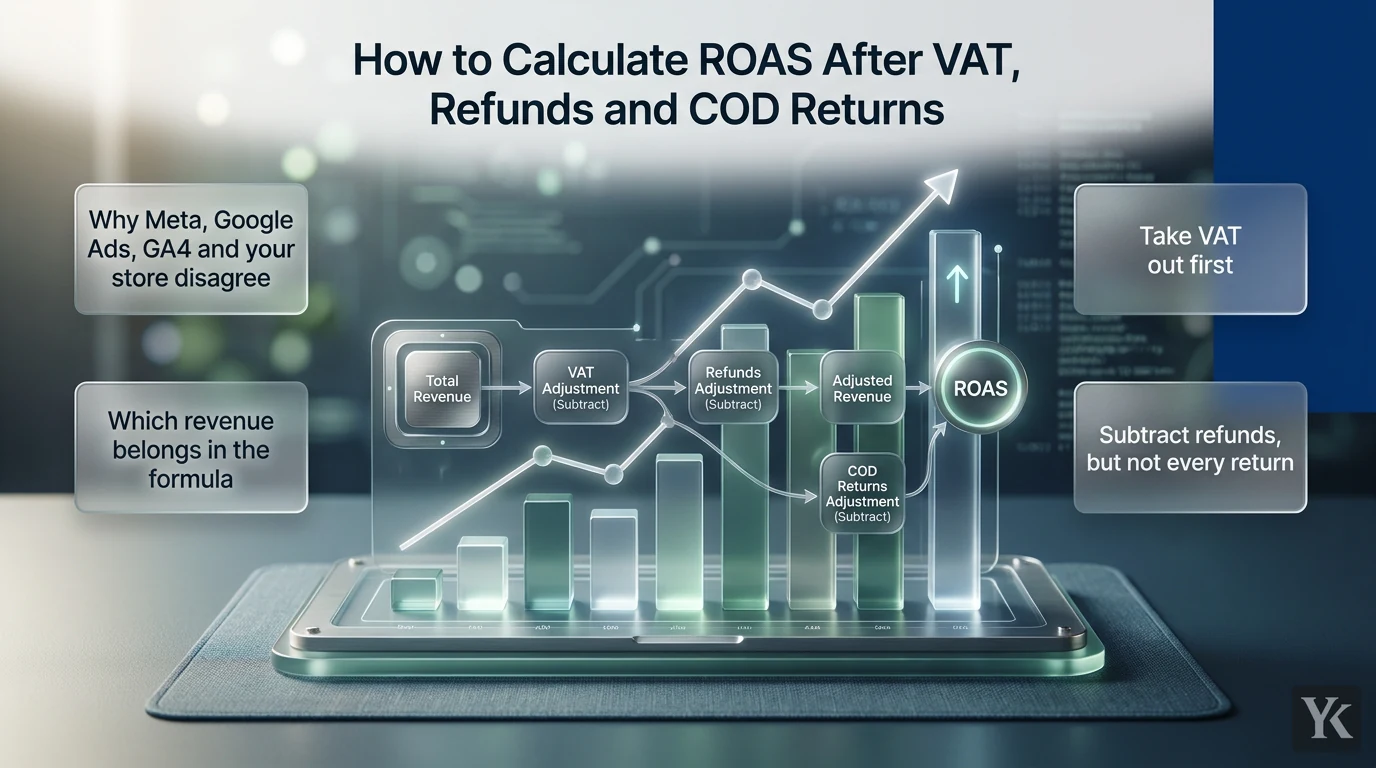
ROAS (return on ad spend) is revenue divided by ad spend. A ROAS of 4 means 4 in revenue for every 1 spent, and 4, 4:1 and 400% are the same number. A hypothetical example: a Saudi store spends SAR 10,000 on ads and the platform credits them with SAR 40,000 in sales. SAR 40,000 ÷ SAR 10,000 = 4, so the ROAS is 4.
For a Gulf seller, the harder question is which revenue goes on top. That SAR 40,000 can include VAT owed to the tax authority, orders refunded later and cash-on-delivery (COD) orders refused at the door, while the spend underneath may be billed in dollars with VAT added. This guide runs a second hypothetical store through each adjustment, then turns the result into a break-even ROAS and into the targets you type into Google Ads and Meta.
The ROAS formula: why 4, 4:1 and 400% are the same number
ROAS = revenue attributed to ads ÷ ad spend
A ratio of 4 is written 4:1, and 4 × 100 = 400%. Google Ads shows ROAS as a decimal in its Conv. value / cost column but takes its target as a percentage, defining a 500% target as $5 of conversion value for every $1 of spend (Google Ads Help). Meta takes its ROAS goal as a decimal.
ROAS is not profit. A ROAS of 4 loses money on a product that keeps 20% of revenue before ad spend; a ROAS of 2 makes money on one that keeps 70%. That's why this guide builds to a break-even ROAS, not a benchmark.
Where to find ROAS in Meta Ads Manager, Google Ads and GA4
Meta Ads Manager. The column is Purchase ROAS: purchase conversion value divided by amount spent (Meta Business Help). Which purchases count depends on the ad set's attribution setting: standard attribution can credit purchases within 1 or 7 days of a link click, 1 day of an ad view, or 1 day of other engagement with the ad (Meta Business Help).
Google Ads. Add the Conv. value / cost column from the Conversions columns and multiply it by 100 for the percentage, so 4.00 means 400% (Google Ads Help). Data-driven is the default attribution model for most conversion actions (Google Ads Help).
GA4. Open Advertising, then Planning > All channels. Return on ad spend there is revenue for the selected key events divided by ad cost, so it needs cost data from a linked Google Ads account or imported campaign costs (Analytics Help). GA4 uses data-driven attribution by default (Analytics Help), and its reports can give organic and other non-ad channels part of the credit for an order (Analytics Help).
Why Meta, Google Ads, GA4 and your store disagree
Put one week side by side and you'll usually get four different revenue numbers, for mostly mechanical reasons:
- Each platform credits its own ads. A shopper who clicks a Meta ad and later a Google ad can be claimed by both, so platform revenue summed across channels can exceed what the store sold.
- Different windows and models. GA4's lookback window defaults to 90 days for most key events (Analytics Help), against Google Ads' default 30-day click window (Google Ads Help) and whatever window each Meta ad set uses. Google itself notes that GA4 and Google Ads attribute key events differently (Analytics Help).
- Different values. Meta's pixel passes whatever value and currency your event code sets (Meta Business Help), and Google Ads uses your tag's dynamic value or a fixed default (Google Ads Help). Whether that value includes VAT and shipping is a setup choice.
- Timing. Orders are counted when placed; refunds and refusals land days or weeks later. GA4's Purchase revenue nets out refunds only if you send refund events (Analytics Help). Google Ads can restate or retract a conversion by order ID, but bidding only sees adjustments made within 7 days of the conversion being recorded (Google Ads Help).
- Time zones. GA4 reports in the property's time zone and Google Ads in the account's, so their days don't always match.
Which revenue belongs in the formula
Take VAT out first
VAT charged to customers isn't revenue you keep: a registered business collects it for the tax authority. The standard rate is 15% in Saudi Arabia, per a ZATCA compliance update, and 5% in the UAE (UAE Ministry of Finance).
Revenue ex VAT = VAT-inclusive revenue ÷ (1 + VAT rate)
Saudi Arabia: SAR 1,150 ÷ 1.15 = SAR 1,000
UAE:          AED 1,050 ÷ 1.05 = AED 1,000
First confirm that the platform value includes VAT at all, and use the rate that applies to what you sell, since some supplies are zero-rated or exempt. This is ROAS arithmetic, not tax advice.
Subtract refunds, but not every return
A full cash refund takes that order's revenue to zero; a partial one takes off the refunded amount, ex VAT. An exchange usually becomes a new order, and store credit is money the customer still spends with you, so track both separately from cash refunds.
Subtract refused and undelivered COD orders
A refused COD order never paid you, but you still paid for the click and the courier. As UAE delivery company Jeebly puts it in its guide to COD fraud and RTO losses, every failed COD delivery means paying for the forward attempt and again for the return. Sort COD orders from your courier report into delivered and paid, refused at the door, and undelivered (wrong address, customer unreachable). Only the first is revenue; the other two come back as return-to-origin (RTO) shipments.
No regulator publishes a Gulf-wide refusal rate. One vendor data point: fulfillment company Shorages analyzed about 30,000 orders for a June 2024 blog post on the state of cash on delivery in the UAE and found that 19.58% of COD orders ended as RTO, against 2.85% of prepaid orders. That is one company's sample, not a benchmark. The rate that belongs in your math is the one in your own courier's RTO report.
The formula, without double counting
Realized revenue (ex VAT) = credited orders, ex VAT
                          − refused and undelivered COD orders, ex VAT
                          − cash refunds, ex VAT
Backend ROAS = realized revenue ÷ ad spend
Start from the orders the platform credited. If your starting figure is already collected cash, refused COD orders were never in it, so don't subtract them twice.
The ad spend side: Meta's VAT and dollar billing
Meta adds VAT to its charges when the ad account's "Sold to" address is in Saudi Arabia and no tax ID has been added, and in the UAE when no TRN has been added. Add the number and Meta doesn't add the VAT (see Meta's Saudi VAT page and Meta's UAE VAT page). What it means for your VAT return is your accountant's call; for the ROAS sheet, if it's a cost you carry, use the receipt total as ad spend, on the same basis every week.
Currency is the easy part. The riyal is held at 3.75 per US dollar, as SAMA's exchange rate policy statement confirms. The dirham is pegged at 3.6725, per the UAE government fact sheet, and the Central Bank of the UAE holds it there by buying dollars at 3.672 and selling at 3.673. So USD 4,000 of spend is SAR 15,000 or AED 14,690. For card conversion fees or unpegged currencies, use the rate on your bank statement.
Worked example: one hypothetical Saudi store, one month
All numbers are invented. Meta's Amount spent is USD 4,000 (SAR 15,000). Meta credits the ads with SAR 69,000 in purchase value from 300 COD orders of SAR 230, VAT included, because the pixel sends checkout totals. The courier report shows 60 orders refused or undelivered (a 20% refusal rate), and 15 delivered orders were refunded in full.
| Step | Revenue | ROAS on SAR 15,000 |
|---|---|---|
| Meta's purchase value, VAT included | SAR 69,000 | 4.60 |
| Remove 15% VAT (÷ 1.15) | SAR 60,000 | 4.00 |
| Subtract 60 refused or undelivered (× SAR 200) | SAR 48,000 | 3.20 |
| Subtract 15 refunds (× SAR 200) | SAR 45,000 | 3.00 |
With no tax ID on the account, Meta adds 15% VAT: USD 4,600, or SAR 17,250. If the store carries it, backend ROAS is 45,000 ÷ 17,250 = 2.61. Same month: 4.60 in Ads Manager, 3.00 (or 2.61) on realized revenue. A UAE store runs the same steps with 1.05 and 3.6725.
Platform, backend and blended ROAS: which number to optimize on
- Platform ROAS is what Meta or Google reports. It's the only signal their bidding sees, so it's the scale your targets live on, and for the reasons above it usually runs high.
- Backend ROAS is realized revenue from orders you can tie to a channel by order ID, UTM or click ID, divided by that channel's spend. The Google Ads tracking template guide covers capturing the gclid and UTM parameters so revenue can be traced back to the campaign that sourced it.
- Blended ROAS, or MER (marketing efficiency ratio), is total realized revenue ÷ total ad spend. No attribution fights and no double counting, but no channel detail either.
Here is the thing: you don't pick one. Optimize inside each platform on platform ROAS, judge channels on backend ROAS, and judge the business on blended. When I report ROAS on Arabic-language campaigns across the Gulf, the platform number is where the conversation starts, never where it ends.
Native networks see only what your pixel or postback reports, so their ROAS is only as good as that setup. The native ads launch plan walks through the macro, sub-ID and postback chain.
Break-even ROAS with COD refusals included
Break-even ROAS = 1 ÷ contribution margin
Contribution margin is the share of realized revenue left after variable costs and before ad spend. Refused COD orders add cost without revenue, so their shipping belongs in it. The store's month (hypothetical; refused and refunded items assumed to go back into stock):
| Line item | SAR |
|---|---|
| Product cost, 225 kept orders × 72 | 16,200 |
| Forward shipping, 300 orders × 20 | 6,000 |
| Return to origin, 60 returned orders × 20 | 1,200 |
| COD fee, 240 delivered orders × 5 | 1,200 |
| Packing and handling, 300 orders × 8 | 2,400 |
| Total | 27,000 |
Contribution before ads     = 45,000 − 27,000 = SAR 18,000
Contribution margin         = 18,000 ÷ 45,000 = 40%
Break-even, backend ROAS    = 1 ÷ 0.40 = 2.50
Break-even in Meta's column = 69,000 ÷ 18,000 = 3.83
You break even when ad spend equals contribution, SAR 18,000. At that spend, backend ROAS is 45,000 ÷ 18,000 = 2.50, while Meta's column, which divides its VAT-inclusive value with refused and refunded orders still in it, reads 69,000 ÷ 18,000 = 3.83. So Meta's 4.60 has to clear 3.83, not 2.50.
The backend ROAS of 3.00 clears 2.50 and leaves SAR 3,000 after ads. Carrying Meta's SAR 2,250 of VAT would leave SAR 750 and lift the platform break-even by 15%, to about 4.41.
The refusal rate moves three lines at once: lost revenue, RTO fees and forward shipping that earned nothing. Keep everything else the same and a 30% refusal rate cuts the margin to about 35% and lifts the break-even in Meta's column from 3.83 to 5.03.
Setting Google target ROAS and Meta's ROAS goal from your break-even
Break-even is the floor, not the target. Set the target before launch, like a kill rule, not mid-campaign when the platform number looks good. To keep a profit margin:
Target ROAS = 1 ÷ (contribution margin − profit margin to keep)
Keeping 10%: 1 ÷ (0.40 − 0.10) = 3.333 on backend numbers
Convert that to each platform's scale by multiplying by the platform's reported value ÷ realized revenue, the step that turns the 2.50 break-even into 3.83. For Meta here, 69,000 ÷ 45,000 = 1.533, so the goal is 3.333 × 1.533 = 5.11. Google's ratio will differ, so compute it from Google's own conversion value.
- Google Ads takes target ROAS as a percentage, so a target of 5.11 would go in as 511%, and a 3.83 break-even as 383%. Search and Shopping campaigns need at least 15 conversions in the past 30 days (Google Ads Help).
- Meta takes a decimal, with 1.100 meaning a 110% return, so 5.111 (or 3.833 at break-even). It needs the maximize value of conversions performance goal and works best when the ad set gets at least 50 to 100 conversions a week (Meta Business Help). With fewer than about 50 a week, the ad set can end up Learning Limited.
A target set too high can limit traffic on Google, and on Meta the ROAS goal may leave budget unspent. A goal of 5.11 against a current 4.60 is that case, so step toward it; Meta suggests waiting at least 7 days after a change before judging it. The longer-term fix is sending ex-VAT values, or margin, as the conversion value; Google describes conversion value as sales revenue or profit margins. Meta's Conversions API lets your backend send that value with each purchase.
A copyable weekly reconciliation sheet
One row per channel per week in Google Sheets. Money is in SAR or AED except column D:
A  Week starting
B  Channel
C  Platform value (Purchase value or Conv. value), converted to SAR/AED
D  Spend in USD (Amount spent or Cost)
E  FX rate: 3.75 SAR, 3.6725 AED
F  Meta VAT rate you carry: 0.15, 0.05 or 0
G  Ad cost                  =D2*E2*(1+F2)
H  Matched orders, VAT incl. (by order ID)
I  Sales VAT rate: 0.15 or 0.05
J  Refused and undelivered COD, VAT incl.
K  Cash refunds, VAT incl.
L  Realized revenue         =(H2-J2-K2)/(1+I2)
M  Product cost (kept orders)
N  Forward shipping (all shipped orders)
O  RTO fees
P  COD and payment fees
Q  Packing and handling
R  Contribution             =L2-SUM(M2:Q2)
S  Platform ROAS            =C2/(D2*E2)
T  Backend ROAS             =L2/G2
U  Break-even, backend      =L2/R2
V  Break-even, platform     =C2*(1+F2)/R2
W  Profit after ads         =R2-G2
With the example month and F at 0, S to W return 4.60, 3.00, 2.50, 3.83 and 3,000.
For the refusal-rate question, add a planning tab for each platform, with labels in column A and values in column B:
B1  Order value ex VAT                 200
B2  COD refusal rate (courier report)  20%
B3  Refund rate (share of shipped)     5%
B4  Product cost per kept order        72
B5  Forward shipping per order         20
B6  RTO fee per refused order          20
B7  COD fee per delivered order        5
B8  Packing and handling per order     8
B9  Platform value per shipped order   230
B10 Profit margin to keep              10%
B11 Kept share                 =1-B2-B3
B12 Revenue per shipped order  =B1*B11
B13 Cost per shipped order     =B4*B11+B5+B6*B2+B7*(1-B2)+B8
B14 Contribution margin        =(B12-B13)/B12
B15 Break-even, backend        =1/B14
B16 Break-even, platform       =B9/(B12-B13)
B17 Target, platform           =B9/(B12*(B14-B10))
B18 Google target ROAS (%)     =ROUND(B17*100)
B19 Meta ROAS goal             =ROUND(B17,3)
The example inputs return 40%, 2.50, 3.83, 5.11, 511 and 5.111 in B14 to B19; set B2 to 30% and B16 becomes 5.03. If you carry Meta's VAT, multiply B16 and B17 by 1.15.
Fill in a week only after its COD deliveries have been attempted and most refunds are in. Google recommends leaving the latest conversion-delay period out of ROAS evaluation, and Meta says to judge ROAS goal performance on weekly averages. Write your definitions at the top: VAT basis, which refunds count, how refusals are classified, attribution windows and what sits in contribution. If you sell both COD and prepaid, give each payment method its own row, because a healthy channel total can hide a COD segment below break-even. And if a row never changes a budget decision, it's just another dashboard.
Frequently asked questions
How do you calculate ROAS?
Divide the revenue attributed to your ads by ad spend. SAR 40,000 on SAR 10,000 of spend is a ROAS of 4 (4:1, or 400%). For a Gulf store, take out VAT, refunds and refused COD orders first; that gives backend ROAS, the number to judge channels on.
What is a good ROAS after VAT, refunds and COD?
There isn't a universal one. Calculate your break-even (1 ÷ contribution margin, with COD refusal costs included) and set targets above it. A backend ROAS of 3.00 is profitable at a 40% margin and a loss at 25%.
How should COD orders be counted in ROAS?
Only delivered and paid COD orders are revenue. Refused and undelivered ones are cost: ad spend, forward shipping and RTO fees. Take the refusal rate (refused plus undelivered, divided by shipped COD orders) from your courier report.
Why does Meta or Google show a higher ROAS than my store?
Platforms count orders when placed, credit their own ads within their own windows and record whatever value your tag sends; refunds and refusals land later. Judge channels on backend ROAS once a week has matured.
How do I enter target ROAS in Google Ads and Meta?
Google Ads takes a percentage (383% for a 3.83 break-even); Meta takes a decimal (3.833). Derive both from your break-even, converted to that platform's own scale.
Digital Marketing Technologist
Yosef Kassabry is a media buyer and full-stack developer with 11+ years in paid acquisition for Arabic-speaking audiences across MENA and the Gulf, and more than $10M in managed ad spend. He runs paid media through direct buys and affiliate networks, builds his own tools, and writes about ad platforms, tracking, native ads and affiliate marketing.